


 EN
 ไทย


Customers Also Purchased
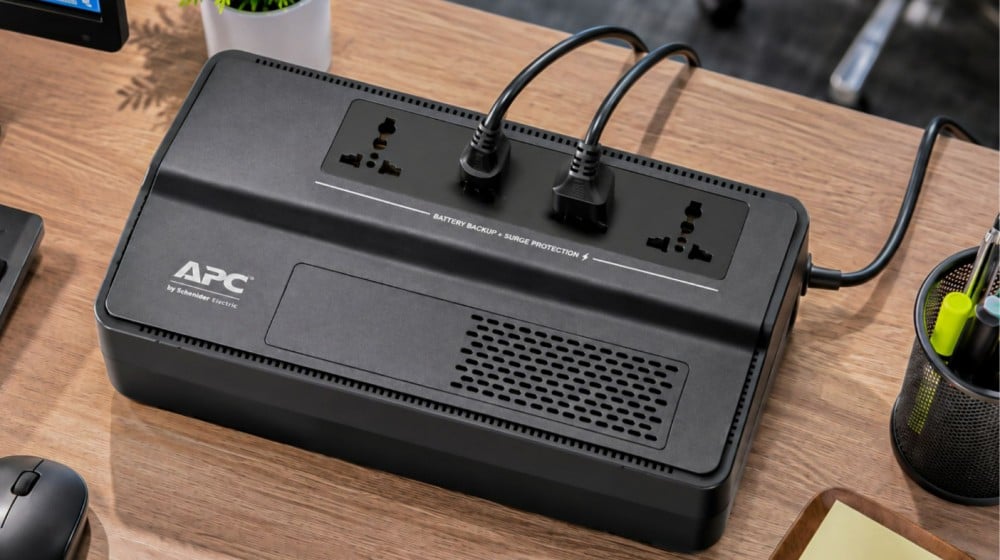
In a small office where a UPS had just been installed UPS under the desk, someone plugged in an extension cord and connected a computer, monitor, router, laser printer, and an electric kettle all onto the same power strip. And on the day the power flickered, the unit let out a long continuous beep, cut all power, shutting down the computer along with all unsaved work.
In reality, Most problems aren't about the capacity of the unit, but rather the type of devices connected to it. Some devices draw an inrush surge when starting up, some draw continuously high power, and some don't actually need backup power. Connecting them can overload the unit, degrade the battery faster, and fail to provide backup power to genuinely critical equipment during a power outage.
Let's take a look at what types of devices should not be connected to a UPS, why you shouldn't connect them, and what types are suitable to connect, as well as the warning signs indicating that the unit is overloaded and needs to be stopped.
Why can't a UPS handle certain devices even though the total wattage does not exceed its limit?
An uninterruptible power supply (UPS) delivers power to equipment using batteries and an inverter circuit during blackouts or brownouts. This circuit is designed to supply power within its rated capacity and works best with devices that draw relatively constant power, such as computers and networking equipment.
Some devices draw a surge current several times higher than their normal operating level in the first split second of turning on, such as motors and heating elements. This inrush current can instantly exceed the unit's rated capacity—even if the device's normal wattage rating doesn't seem high—causing the unit to sound an alarm, cut power, or unnecessarily switch to battery mode.
Connect only equipment to the UPS that genuinely requires continuous power, has a stable load without severe surges, and whose combined total still leaves a safe safety margin within the rated capacity.
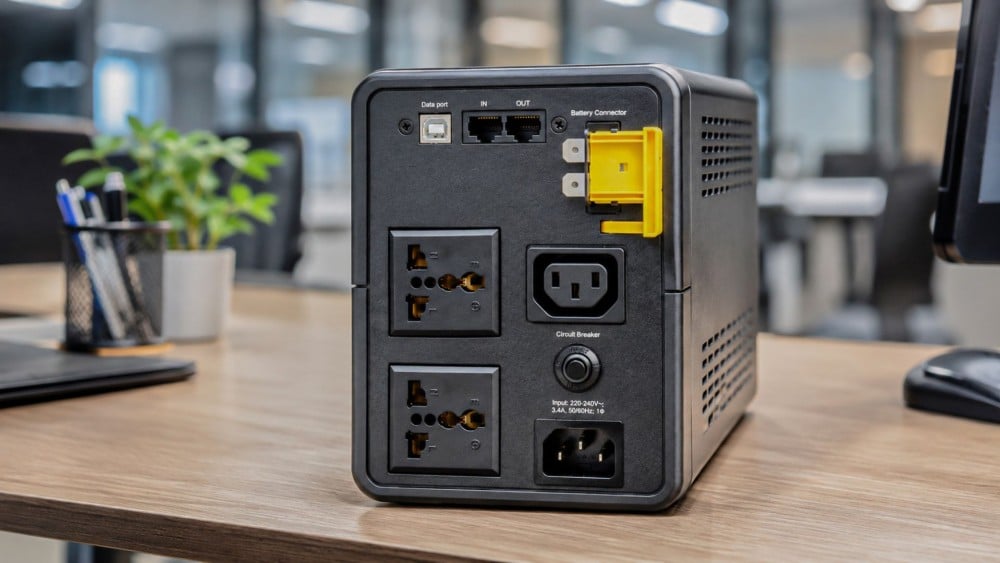
Connecting a power strip to a UPS causes unintentional overload
A power strip allows you to plug in many extra devices without realizing it. When there aren't enough outlets on the unit, many people add an extension cord and plug in everything on their desk without calculating whether the total wattage has exceeded the rated limit.
Extension cords with surge protection overlapping with the unit
Many UPS manuals advise against connecting extension cords with surge protection circuits to the unit's power outlets, because two overlapping surge circuits may cause the unit to malfunction. Check the recommendations in your specific model's manual.
Plug only essential devices directly into the unit's power outlets. If there aren't enough outlets, it may mean the UPS is too small for the job. Separate non-essential devices and plug them into normal wall outlets or other power strips as usual, recalculating the load accordingly. How Many Watts of UPS to Choose? How to Calculate Load and Backup Runtime Before Buying
Heating appliances consume more power than a UPS can handle
Kettles, hair dryers, irons, heaters, and rice cookers These use heating coils that draw high, continuous power throughout operation. Most computer UPS units are rated for loads not designed for this type of equipment. When turned on, the UPS will immediately sound an overload alarm or shut down entirely.
Why you shouldn't force it
Even if the unit doesn't trip immediately while on mains power, once an outage occurs and the UPS switches to battery, the heating load will drain the battery in a very short time. Besides making the battery overheat and deteriorate quickly, the devices you actually intended to back up will also shut off.
Plug all types of heating appliances directly into a wall outlet, not through a UPS, and do not plug them into the same extension cord as the equipment connected to the UPS, to keep circuits clearly separated.
Motors and compressors cause power surges that trip the UPS
Water pumps, refrigerators, air conditioners, air compressors, power tools, and large fans All of these use motors, which draw a much higher inrush current when starting up than during normal operation. Furthermore, some types of motors do not run well on the power waveforms that many UPS models output while on battery; the motor may overheat, hum, or fail to start.
Therefore, never connect devices with motors or compressors to a computer UPS.
If you need backup power for a water pump or refrigerator during an outage, use a backup power system specifically rated by the manufacturer to support motor loads, and have an electrician design the connection to the home or building electrical system. How Many Types of UPS Are There? Differences Between Standby, Line Interactive, and Online
Laser printers and copiers make the UPS alarm sound during printing
Laser printers and copiers feature a heating unit (fuser) to fuse toner onto paper. This component draws high surges of power every time it starts printing or warming up. If connected to a UPS, the unit will detect sudden load spikes, trigger an overload alarm, and may sometimes shut off power to connected computers as well.
Use surge-only outlets instead
Some UPS models divide outlets into two groups: one with both battery backup and surge protection, and another with surge protection only. If the UPS has surge-only outlets and the manual states it supports printers, plug it into that outlet. If not, plug the laser printer directly into a wall outlet.
Inkjet printers are different
Inkjet printers do not have a heating fuser like laser printers and consume much less power. Most can be connected to a UPS if the total load remains within its rated capacity; check the power rating on the printer's label.
Devices that should be connected to a UPS are those that would be damaged or suffer data loss during a sudden power outage.
Think in reverse: instead of asking what can be plugged in, ask which devices would suffer actual damage if the power cuts out. Examples include desktop computers with unsaved work, accompanying monitors, network routers and switches, network-attached storage (NAS), CCTV recorders, and point-of-sale (POS) terminals.
The principle is to connect only this group of devices, ensure the total load stays well below the UPS's rated capacity, and configure the computer to save work and shut down automatically when the battery runs low, if the UPS supports computer communication.
If you're still not sure how necessary it is for your work, read the basics at What Is a UPS (Uninterruptible Power Supply)? How Necessary Is It for Homes, Offices, and Stores?
Can you connect a water pump or refrigerator to a UPS during a power outage?
It is possible, but not with every UPS model. Because water pumps and refrigerators have motors or compressors that can draw several times their normal operating current during startup, you should choose a unit specifically designed to handle these types of equipment—delivering Pure Sine Wave power with an adequate power rating and surge capacity.
Standard computer UPS units are not designed to handle this type of load, even if the wattage rating on the UPS is higher than the normal operating wattage of the pump or refrigerator.
Signs that a UPS is overloaded: unplug devices or stop using it immediately
If the UPS emits a continuous beep, the overload indicator stays lit, the unit cuts power frequently even when utility power is normal, feels abnormally hot, emits a burning or strange pungent odor, has a swollen or bulging casing, or the battery drains much faster than usual, shut down non-essential equipment and unplug it from the UPS first.
If there is a burning odor, a pungent smell, or the casing is swollen, turn off the unit, unplug it from the wall outlet, and stop using it. Never open the casing or disassemble the battery yourself, as residual electrical charge remains inside even when unplugged. Send it to a service center or a qualified electrician for inspection.
Connecting devices to a UPS safely
Check the power rating of each device on its label, calculate the total, and compare it to the UPS rating specified in the manual. Exclude heating appliances, motors, and laser printers, and plug the UPS directly into a grounded wall outlet as specified in the manual—do not connect it through a power strip.
During installation, plug critical devices directly into the battery backup outlets. Turn on each device one by one and observe the load indicator on the UPS. If the load is already near capacity while running on utility power, unplug non-essential devices.
After installing the UPS, test switching to battery power according to the manual when no critical work is open. Verify that the connected equipment continues running, the UPS does not sound an overload alarm, and regularly check the status indicator lights.
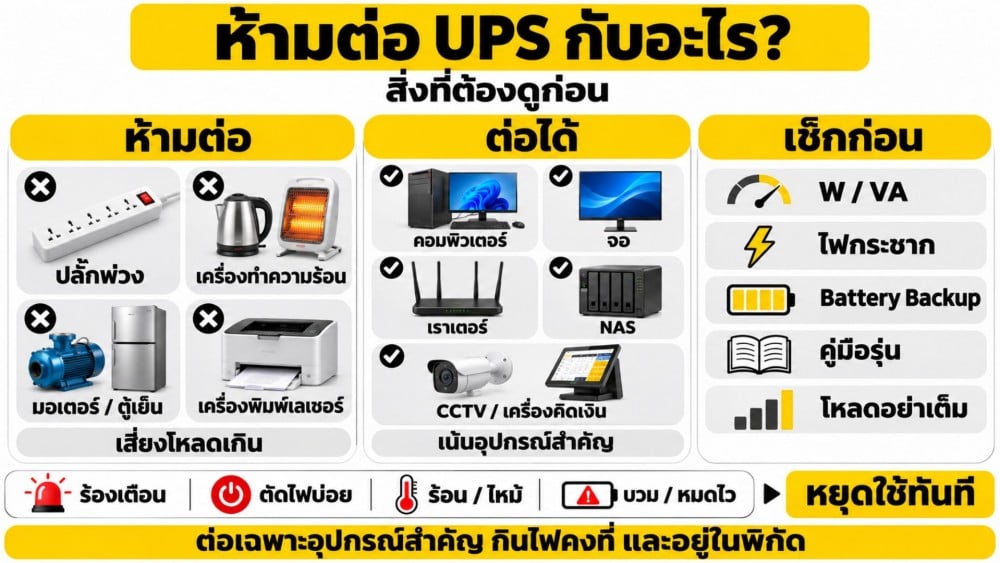
Conclusion: A UPS works best when connected only to devices that truly require continuous power, have stable consumption, and stay within its rated capacity.
A UPS that beeps frequently, shuts off power on its own, or runs out of battery quickly—often, is not because the unit is too small or defective, but because power strips, heating appliances, motors, or laser printers are daisy-chained together with computers. Whether on an office desk, in a small server room, or at a storefront checkout counter, the same principles apply.
Before connecting, always Total the wattage of devices against the unit's rating. Plug essential devices directly into the unit's outlets without using extension cords. Plug heating appliances and motors into wall outlets separately. Use surge-protected outlets or wall outlets for laser printers, and test the switch to battery power after installation.
Importantly, if there is a burning smell, the unit becomes abnormally hot, or the casing bulges, turn off the unit, unplug it, and send it to the service center. Do not disassemble the battery or circuitry yourself. If backup power is needed for a water pump or refrigerator, have an electrician specifically design a system to support that load.
If you are looking for electrical connection equipment with the right rating for the job, check out the category UPS and extension cord category of iToolmart