


 EN
 ไทย


Customers Also Purchased


Selector Switches Those mounted on control panel doors often look very similar: black knobs, similar housing sizes, and contact blocks attached to the back. The easiest noticeable difference is that some models rotate into 2 positions, while others rotate into 3 positions.
At first glance, it might seem like just a difference of one click, but in actual use, the number of positions directly affects how the machinery is controlled. Each switch type is designed for different command selections: some circuits only require ON and OFF; some require selecting Left or Right with a neutral Stop position in the middle; and some applications need switching between Manual and Auto modes. Before choosing, you must clearly identify what each position needs the circuit to do, rather than simply looking at how many steps the switch turns.
How does a selector switch work?
A selector switch is a rotary switch used to select the status or operating mode of a circuit. When the knob is rotated, the internal mechanism behind it presses or releases the contacts, connecting or disconnecting parts of the circuit according to the selected position.
In a control panel, selector switches usually do not supply power directly to motors; instead, they send control signals to relays, contactors, PLCs, or other control devices. Common examples include Manual–Auto, Local–Remote, Forward–Reverse, and Hand–Off–Auto selector switches.
Even if the switch heads look identical, their internal operations can be completely different. Some models are maintained, some are spring-return (momentary), and some have more than one set of contact blocks at the back. These details must always be considered alongside the number of positions.
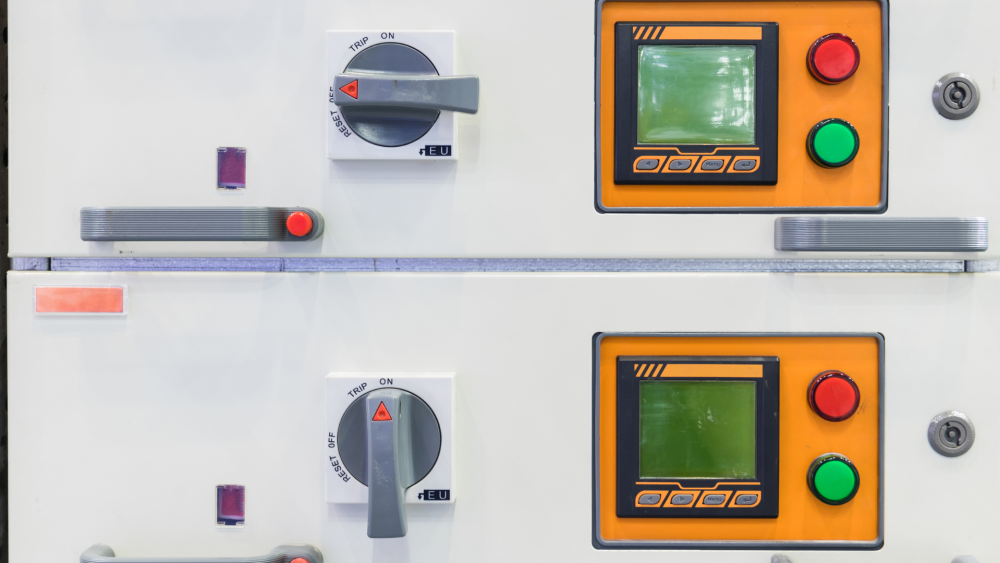
What applications are 2-position selector switches used for?
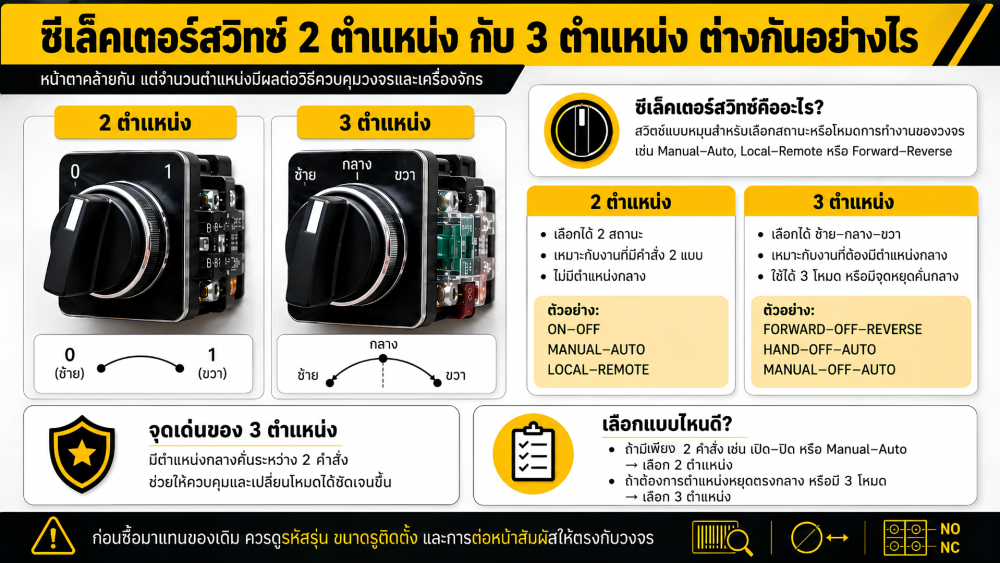
A 2-position selector switch can be turned between two options, such as Left and Right, or 0 and 1. It is suitable for applications that only require selecting between two states without needing a center position.
Common applications include:
- ON – OFF
- START – STOP
- MANUAL – AUTO
- LOCAL – REMOTE
- Pump 1 – Pump 2
- FORWARD – REVERSE
The highlight of this type of switch is its straightforward operation. Operators can immediately tell what mode the system is in simply by looking at the knob position, making it ideal for tasks requiring an unambiguous choice between two commands. For example, in a water pump system that only offers a choice between Manual and Auto modes, if the circuit already has a separate stop button, a 2-position Manual–Auto selector switch can be used without the need for an OFF position in the middle.
However, if the circuit requires stopping before switching from one command to another, a 2-position switch may not be very suitable because the operator can turn directly from one side to the other.
3-Position Selector Switches: Key Feature is the Center Position
A 3-position selector switch has left, center, and right selection points, making it ideal for applications that require three different commands or require a stop point between two commands.
Common configurations include:
- FORWARD – OFF – REVERSE
- HAND – OFF – AUTO
- MANUAL – OFF – AUTO
- Pump 1 – OFF – Pump 2
- Open – Stop – Close
- Left – Stop – Right
The center position helps the operator disconnect the previous command before switching to the other side. A clear example is a motor forward and reverse circuit. When using a Forward–Off–Reverse switch, the operator must pass through the OFF position before changing direction, making operation easier to understand than with a switch that has only two positions.
Another common application is a Hand–Off–Auto water pump system, where the Hand position manually operates the pump, the Off position stops it, and the Auto position allows the system to operate via sensors, float switches, or automated circuits.
The center position does not just serve to add another step, but also helps organize the control sequence more clearly.
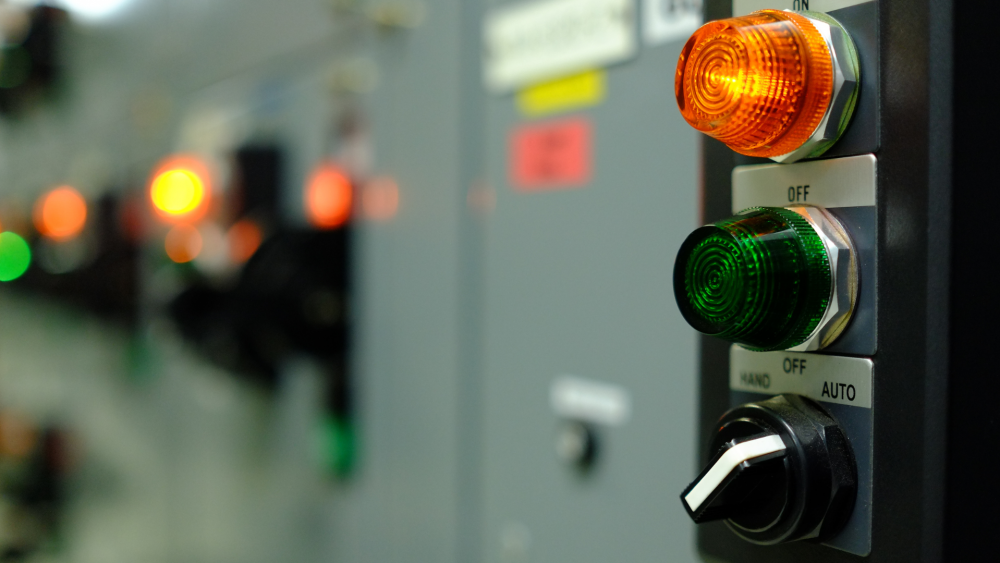
The center position does not always have to be OFF.
Although many 3-position selector switches use the center position as OFF, it should not be assumed that every model operates this way, as the function of each position depends on the contact configuration and circuit design. Some applications may use the center position as another control mode, such as Local–Remote–Auto, or to select among three sets of equipment, without any position being OFF at all.
Therefore, before installation, you should review the contact diagram of each switch model to see which contact blocks close and open when turned to the left, center, or right. Simply looking at the markings on the panel front may not be enough, especially when replacing an existing switch.
Maintained vs. Spring-Return is Separate from the Number of Positions
Another common mistake is assuming that 2-position switches must be maintained and 3-position switches must spring-return to center. In reality, both types can be manufactured as either maintained or spring-return.
Maintained Type
When turned to any position, the switch knob stays in that position until someone turns it back. It is suitable for mode selection that requires continuous operation, such as Manual–Auto, Local–Remote, or On–Off. The advantage is that the operator can immediately tell from the front of the panel which position the system is set to.
Spring-return type
The switch operator springs back to its original position when released, such as a 3-position switch that turns left or right and returns to center automatically. This type is suitable for momentary commands, such as inching/jogging equipment, opening or closing valves, or sending short signals to a circuit. Once released, the command ceases and the switch operator returns to its original position.
Therefore, the terms "2-position" or "3-position" alone do not indicate whether the switch is maintained or spring-return; you must check the detailed specifications of each model.
Number of positions does not indicate number of contacts
A selector switch consists of an operator head and contact blocks mounted on the rear. Thus, the number of rotary positions does not necessarily equal the number of contacts.
A 2-position switch may be fitted with only 1NO contact, or with both 1NO and 1NC, while a 3-position type may use multiple sets of contact blocks to control several circuit branches simultaneously.
NO stands for Normally Open, meaning contacts that are open in the normal state, while NC stands for Normally Closed, meaning contacts that are closed in the normal state. However, "normal state" depends on the manufacturer's specified position; do not simply guess the operation based solely on the NO or NC labels relative to the rotary position. This is crucial when buying replacement switches: even if the rotary knob has the same number of positions, different contact blocks on the back can cause the circuit to malfunction.
How to choose between 2-position and 3-position
The easiest way to choose is to first outline the desired function for each position. If there are only two commands, such as On/Off or Manual/Auto, a 2-position switch is usually sufficient. However, if a central stop position is needed, or if three modes are required (such as Manual–Off–Auto or Forward–Off–Reverse), a 3-position switch should be chosen.
After deciding on the number of positions, you should also check the following details:
- Whether a maintained (stay-put) or spring-return action is required
- If spring-return, whether it should return to center or to one specific side
- How many sets of NO and NC contacts are needed for each position
- Whether the mounting hole size matches the existing panel cutout
- Whether the voltage and current ratings are suitable for the circuit
- Whether a standard knob or a key-operated type is required
- The level of dust, moisture, oil, or water spray at the installation site
Choosing based solely on the number of positions may result in a switch that looks similar to the original but cannot function as a direct replacement.
Real-World Selection Examples
If you only need to select between Manual and Auto mode for a water pump and already have a separate stop button, a 2-position selector switch might be sufficient since the operator only needs to choose between two modes. However, if you also want to be able to stop the pump using the selector switch, a 3-position Manual–Off–Auto switch should be used so operators can stop the system directly from the panel.
For motor forward and reverse applications, a 3-position Forward–Off–Reverse switch is generally easier to understand because it has a stop position in the center. However, the circuit must still include an interlocking system to prevent the forward and reverse contactors from engaging simultaneously; the selector switch should not be used as the sole safety mechanism.
For applications where the machine should only operate while the user holds the switch—such as jogging a pneumatic cylinder left or right—a 3-position spring-return to center switch may be chosen. When released, the switch returns to the off position automatically.
Check the Original Component Thoroughly Before Buying a Replacement
When Selector Switches When the original unit fails, many people only remember whether it was a 2-position or 3-position switch and buy a model that looks similar. However, internal specifications may differ, including maintained vs. spring-return action, number of contacts, and the operating sequence of each terminal.
Before removing it, you should note the model number, photograph the wiring layout, and clearly verify the contact diagram. Inspection or replacement work should only be performed after disconnecting the power supply and verifying there is no voltage in the circuit. If unsure, have a technician who understands control systems perform the work.
A 2-position selector switch is suitable for straightforward applications requiring a choice between two states, while a 3-position switch is ideal when an additional command is required or when a stop position is needed between two commands.
Selecting the right switch requires considering the number of positions, maintained or spring-return action, and rear contact blocks. When all three details match the circuit, the switch will function properly without causing confusion for panel operators.