


 EN
 ไทย


Customers Also Purchased


When choosing to buy Coping saw / Fretsaw or Jigsaw What most people usually look at first is often the wattage, stroke speed, tool weight, ease of changing the blade, comfortable grip, and how thick of wood it can cut. What to consider before choosing a fretsaw? Weight, convenience, cordless or corded?
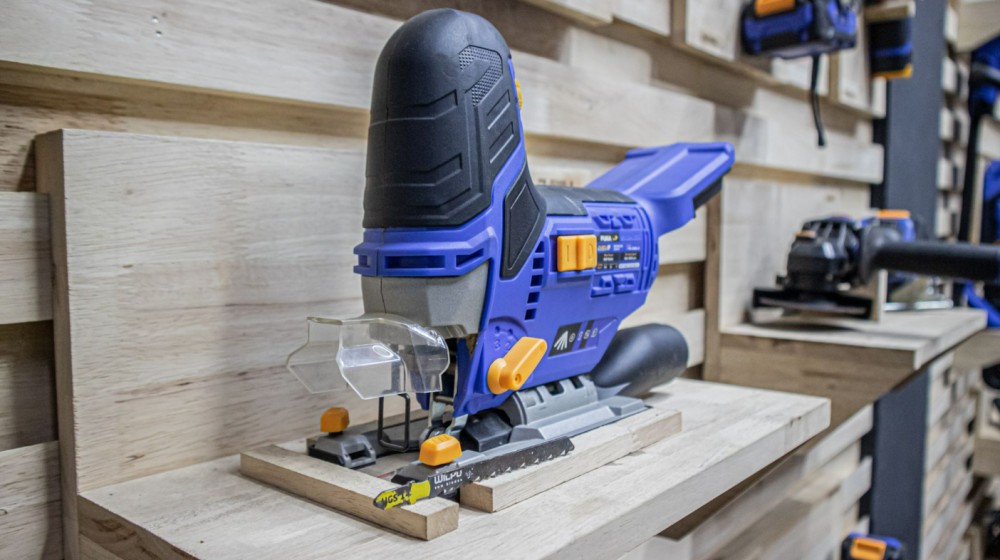
If you look at many modern jigsaw models, especially semi-professional electric scroll saws and jigsaws, you will see a small knob or lever on the side of the machine. Often, we see symbols indicating levels 0, 1, 2, 3. But have you ever wondered what this switch is for? Is it necessary to use, or is it just an extra feature added to make it look fancier?
The answer is that many jigsaws feature a system called Pendulum or Orbital Action, which is neither a gimmick nor a decorative feature. Instead, it is a system that changes the "blade movement pattern" from a straight up-and-down motion to include a forward swinging motion, allowing the saw to cut through material faster.
What is Pendulum / Orbital Action on a jigsaw?
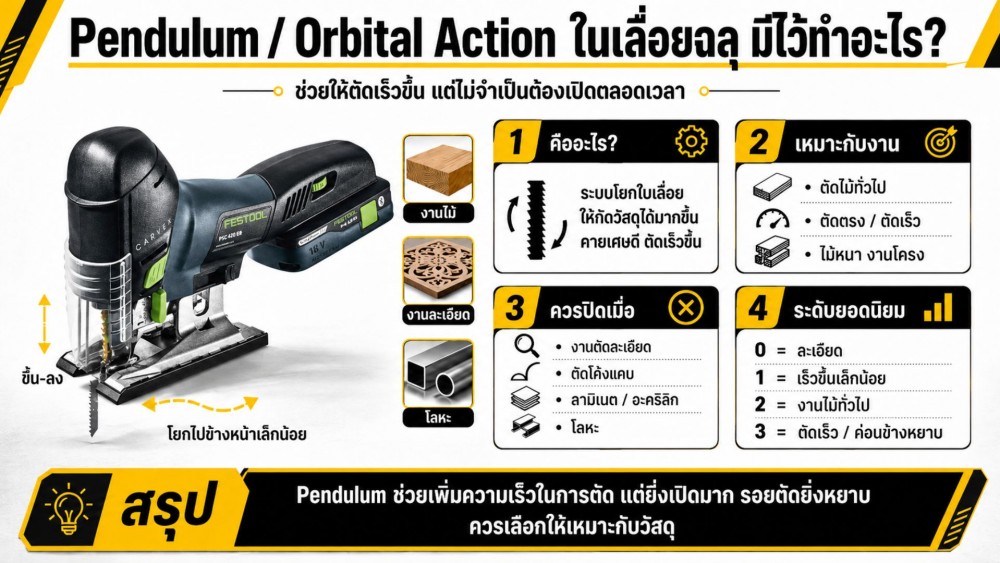
Pendulum Action or Orbital Action It is a system that makes the jigsaw blade swing or thrust forward slightly during the cutting stroke, similar to hand sawing where you don't just move the blade up and down, but also push the blade into the material on the forward stroke. This system helps the saw teeth bite into the wood more with each stroke. The result is faster cutting, better sawdust ejection, and the tool does not have to strain as much compared to cutting strictly with a straight up-and-down motion the entire time.
Both Pendulum and Orbital refer to the same mechanism, meaning the jigsaw blade does not merely move up and down, but moves forward on the upstroke and retracts on the downstroke, allowing the jigsaw to cut faster.
The 0, 1, 2, 3 swing degree settings seen on jigsaws
Many electric jigsaw models have a Pendulum/Orbital Action adjustment knob marked with numbers such as 0, 1, 2, 3, or some models may feature 4 levels.
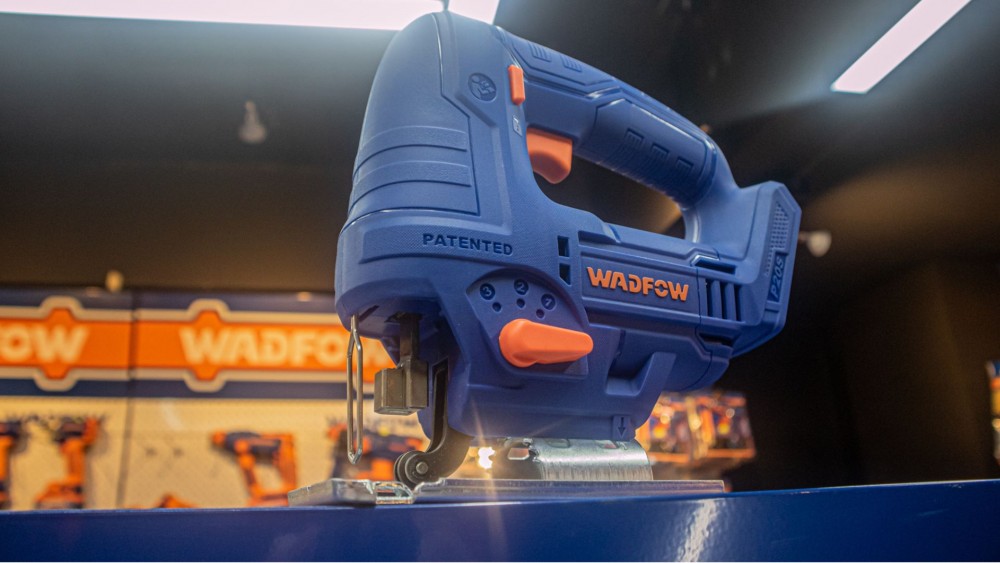
- Level 0 Means the pendulum action is turned off. The blade moves in a straight up-and-down line. Ideal for fine cutting, curved cuts, materials prone to chipping, or materials requiring clean cut edges.
- Level 1 Provides a slight blade swing. Suitable for tasks where you want to increase speed a bit while still maintaining good control over the cut line.
- Level 2 Provides more swing. Used for general woodworking that does not require an ultra-fine finish.
- Level 3, 4, or higher A high-swing setting suitable for fast, rough cuts, or rip cuts along long boards where you want to speed up progress.
However, these numbers are not completely standardized across every brand. Some jigsaw models may have a pronounced swing even at Level 1, while others offer a smoother, gentler motion. Starting at a lower setting and gradually increasing it is a safer method than immediately starting at the maximum level. Although higher settings cut faster, they also increase the chances of edge chipping, rough cuts, and can cause the jigsaw to pull forward more aggressively as well.
Why does turning on Pendulum action make the jigsaw cut faster?
The reason turning on Pendulum or Orbital Action makes a jigsaw cut faster is that the blade thrusts into the material more aggressively, allowing the teeth to bite deeper into the wood with each cycle. Instead of moving straight up and down and slowly nibbling away at the material, the forward swing during the cutting stroke accelerates material removal. Sawdust generated during cutting is also cleared and ejected from the kerf more effectively, preventing the cut line from clogging easily, reducing strain on the motor, and allowing you to push the tool forward more smoothly.
In woodworking—especially with softwoods, structural lumber, plywood, or medium-thickness boards—turning on Orbital Action shows noticeable results because these materials are easy to cut and clear chips well. Adding the pendulum motion allows the tool to cut even faster, making it ideal for cut-offs, long panel cuts, framing lumber cuts, or jobs where edge smoothness is not a primary concern.
When Should You Use Pendulum / Orbital Action?
Enabling the pendulum system is suitable for jobs that prioritize "speed" over "cut edge smoothness," such as rough timber cuts that will be finished later or long straight cuts where you want to reduce working time. In these scenarios, using a jigsaw at level 2 or 3 can visibly speed up the work, especially when paired with a coarse-toothed wood cutting blade designed for fast cuts.
Another scenario well-suited for orbital action is cutting thick wood, where using the normal up-and-down mode might feel like it cuts slowly, the blade heats up, or wood chips accumulate heavily in the kerf. Turning on the orbital action helps the blade clear chips from the cut more effectively, preventing the blade from constantly bogging down in dust and sawdust.
However, it should be used with moderate forward pressure—do not force the cut too fast. While this system helps you cut faster, pushing the tool harder than the blade can cut can cause the blade to bend, deviate from the cut line, or cause burning and tear-out along the edges.
When Should It Be Turned Off or Set to Level 0?
Although pendulum or orbital action helps a jigsaw cut faster, it does not mean it should be used every time. Detailed work—such as tight curves, following precise lines, cutout holes, cutting laminates, acrylic, certain plastics, or metals—should have this system turned off or kept primarily at level 0. The blade's orbital motion causes it to bite more aggressively into the material and pulls forward with more force, making it harder to control the cut line, especially when turning curves or cutting in tight spaces.
- Did you know that electric jigsaws aren't just for cutting wood?
For metalworking, such as thin sheet metal, aluminum, or thin stainless steel, turning off orbital action is the better choice because metal requires a steady, smooth cut without jerking.
- The blade may strike the material too violently
- Saw blade teeth wear out faster
- Excessive vibration makes the jigsaw difficult to control
- For plastics and acrylic, strong orbital action can cause edges to chip, crack, or melt from accumulated heat.
Does Pendulum Action Make the Cut Rougher?
Generally, using a jigsaw with pendulum or orbital action enabled tends to produce a rougher cut compared to when it is turned off. Because the blade bites more aggressively and faster into the material, the workpiece edges are more prone to chipping or splintering.
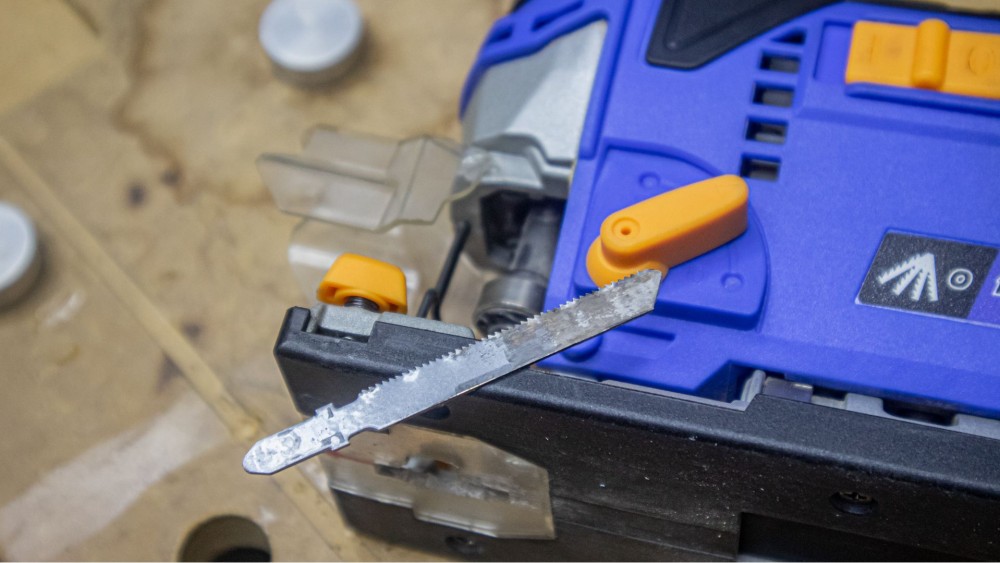
This is especially true on the top surface of the board where the saw base rests. On veneered wood, melamine-faced plywood, or laminate sheets, chipping or splintered edges can occur easily. Therefore, if the job requires a clean cut, you should use level 0 or the lowest setting, paired with a fine-toothed blade specifically designed for fine cuts.
The key is distinguishing which jobs prioritize speed and which prioritize a clean finish. An electric jigsaw is an extremely versatile tool, and that versatility yields the best results only when you select the cutting mode suited to your material and desired finish.
Selecting the Pendulum Level by Material
For softwood or general plywood where you need fast straight cuts, you can start at level 2 and check if the cut quality and tool control remain acceptable. If you need more speed and edge tear-out is not a major concern, you can increase it to level 3.
For hardwoods or easily splintered wood, start at level 1 or 0 first to see how well the blade cuts into the material and whether there is excessive splintering. Even with solid wood, some grain structures tear easily, and too much orbital action can ruin the cut edges.
For MDF, veneered plywood, laminate, or materials requiring a fine finish, stick to level 0 or 1 only and pair with a fine-cut blade. If cutting from the show face, always test the jigsaw on scrap material first.
Plastics and acrylic should primarily be cut at level 0; keep the speed from running too high and let the blade do the work without forcing it. For metal, turn off the pendulum action completely, use a fine-toothed metal blade, and run at an appropriate speed, as metalworking demands stability rather than the speed required for wood.
The Relationship Between Pendulum Action and Jigsaw Blades
Whether the pendulum system works effectively does not depend solely on the tool itself, but also on the blade. What TPI should a woodworking jigsaw blade start at for clean cuts? Jigsaw blades for fast cutting usually have coarse, widely spaced teeth and are designed for efficient chip clearance. When used with orbital action, they cut wood very quickly, though the cut will be rougher than with a fine blade. Conversely, fine-tooth blades are suitable for work requiring a clean finish, but using them with a high pendulum setting may not improve cutting performance much. Fine teeth are not designed for aggressive material removal and may cause excessive vibration or heat up easily.
Therefore, before adjusting the pendulum setting, you should check the blade currently in use to see what application it is intended for. If using a coarse wood-cutting blade and you need fast cuts, setting it to medium or high is appropriate. However, if using a fine-cutting blade, curve-cutting blade, metal-cutting blade, or specialized material blade, exercise more caution.
Does Pendulum Action Help Reduce Load on the Tool?
In certain woodworking applications, turning on orbital action can help reduce the load on the tool to some extent because the blade clears debris better and cuts into the material more efficiently. As a result, the tool does not have to struggle continuously as it would in straight up-and-down mode on thick workpieces.
However, this does not mean that enabling pendulum action allows the jigsaw to cut any material or withstand any amount of pushing force. This system is merely an aid for cutting suitable materials, not a direct increase in the tool's motor power.
If you use an electric jigsaw to cut materials beyond its limits—such as excessively thick wood, excessively thick metal, or with an unsuitable blade—the tool may still overheat, the blade may vibrate, or the cut line may wander even with pendulum action turned on.
Summary: Pendulum is a Speed Booster That Doesn't Need to Be On All the Time
The pendulum/orbital action system on a jigsaw adjusts the angle of the blade so that it rocks forward during the cutting stroke. This helps the saw teeth bite more aggressively into the material, clears debris more effectively, and cuts wood faster—especially for straight cuts, rough cuts, thick wood, or jobs where the edge finish is not critical.
However, this system is not suitable for all applications. For fine cuts, tight curves, brittle materials, laminated surfaces, plastics, acrylics, or metals, you should turn this system off or use a low setting to maintain good tool control and reduce the risk of chipping or cracking the workpiece edges.
Using a jigsaw effectively is not just about turning it on and cutting; it requires understanding how each adjustment affects the cut finish. Pendulum action is a very useful function when used at the right time, but it can also make the cut rougher than desired. For beginners, the best approach is to start at setting 0, test on scrap material, and gradually increase the setting as you become more familiar with the tool's dynamics.
Coping saw / Fretsaw Electric jigsaws are not just simple curve cutters, but versatile tools adaptable for fine work, fast cutting, DIY projects, and heavy-duty trade work on the same jobsite.