


 EN
 ไทย


Customers Also Purchased

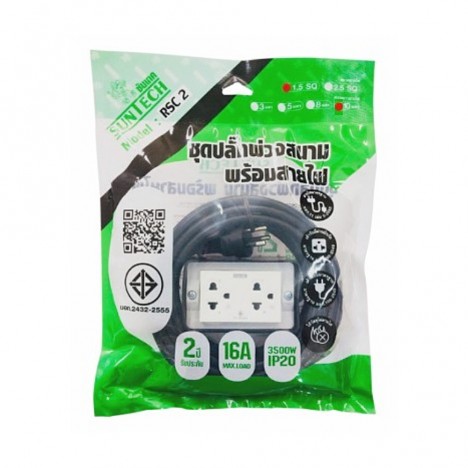


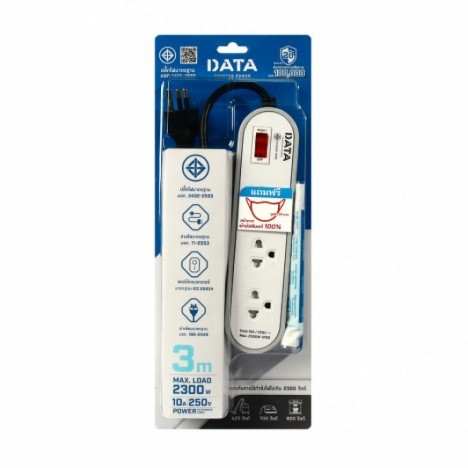
Cable reelThings have changed a lot nowadays. From having only ordinary AC outlets, many models now come with built-in USB-A and USB-C ports. Some clearly print numbers like 20W, 30W, 65W, or 100W right on the box. So it's no wonder many people question whether they still need separate wall chargers once they have a USB-C power strip.
The short answer is: they can replace them in some cases, but not for every device, and not all USB-C power strips charge fast in the same way. What you really need to look at isn't just whether it has a USB-C port or says "Fast Charge" on the box, but how many watts each port delivers, which charging protocols it supports, and how power is distributed when multiple devices are plugged in at the same time.
What Is a USB-C Power Strip, and Why Is It Becoming Popular?
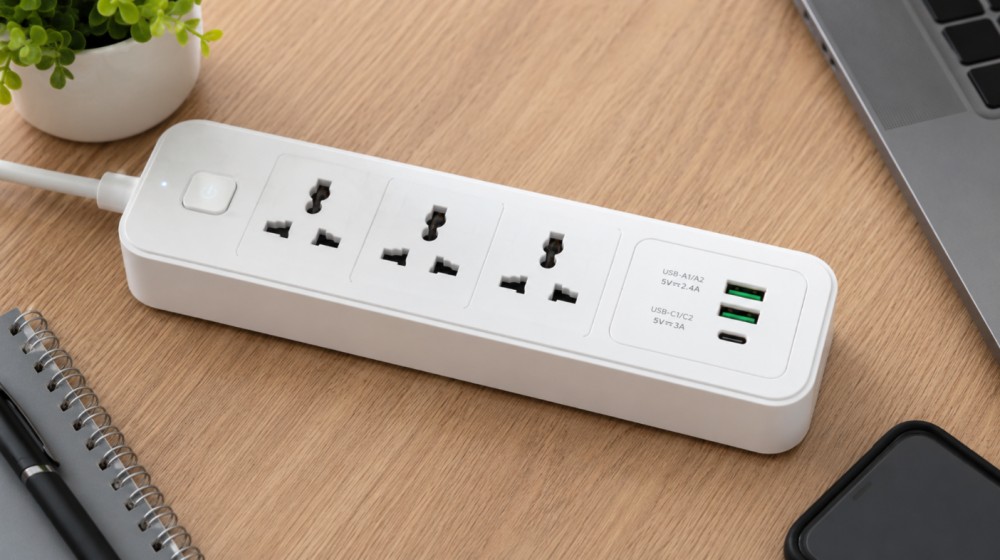
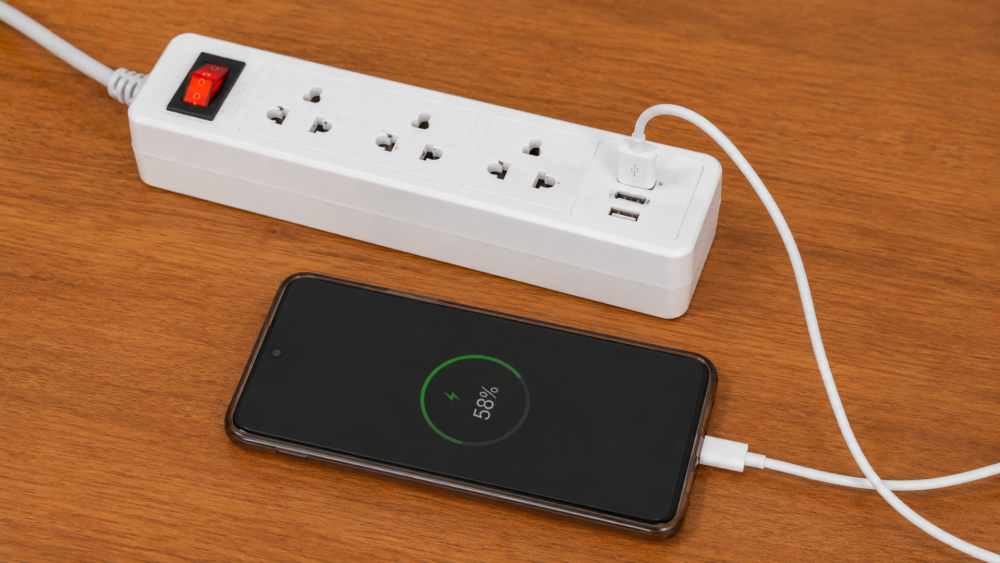
Simply put, it's an extension cord/power strip with built-in charging circuitry. You can plug in a USB-C cable to charge devices directly without needing a separate charging brick plugged into the AC outlet. An obvious benefit is that your desk or bedside table looks much neater because there aren't multiple bulky wall chargers crowding together.
For people with many devices—whether phones, tablets, wireless earbuds, smartwatches, cameras, or USB-C charging laptops—this kind of power strip fits the bill quite well. However, one point that many people overlook is that the USB-C port on a power strip isn't just an ordinary plug hole. Inside, there's circuitry that converts household AC power into voltages that USB devices can use, such as 5V, 9V, 12V, 15V, or 20V, depending on the model and supported standards. If the model supports USB Power Delivery (USB PD), it delivers power more flexibly and adjusts to the connected device. Even so, each model still provides different wattages. You must primarily look at the actual product specifications, not just the name "USB-C."
Can a USB-C Power Strip Really Replace a Wall Charger?
Yes, if that USB-C port supplies enough power for the device being charged and supports the charging standard that the device uses.
For typical mobile phones, a model that delivers around 20–30W is usually sufficient for everyday fast charging. But for tablets or thin-and-light laptops, you might need around 45–65W. For more power-hungry laptops, you may require 90–100W or even more.
In summary, if used with phones, earbuds, smartwatches, or certain tablets, a USB-C power strip can easily replace a wall charger. But if you plan to charge a laptop, check the required wattage first. If the laptop requires 65W but the USB-C port only provides 20W, the machine might still charge, but very slowly—and under heavy usage while charging, the battery may even drain despite being plugged in.
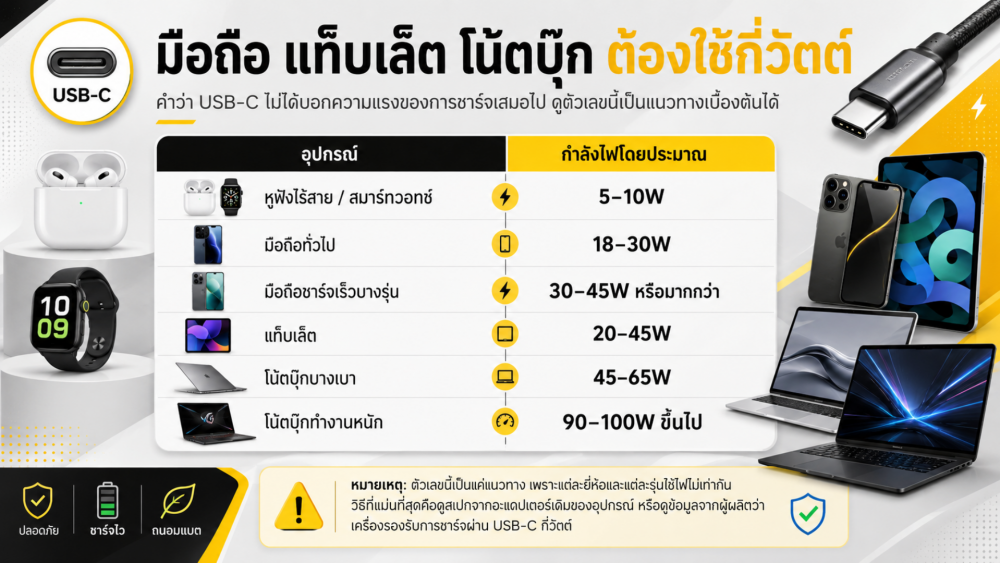
Numbers on the Box Like 65W or 100W: Read Carefully First
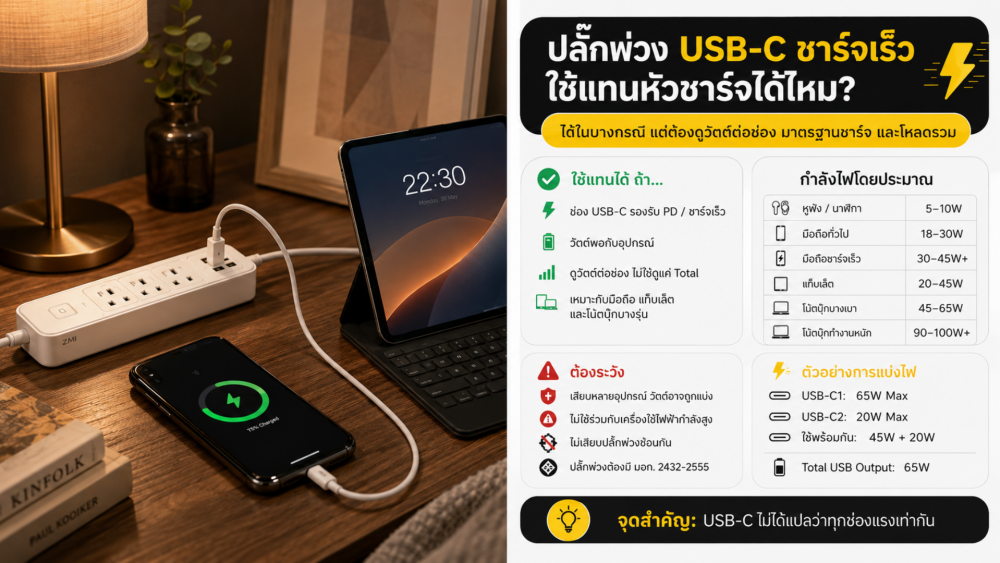
This is where many people frequently get confused. The wattage printed on the box does not mean every port can supply that full amount at all times. For example, a power strip labeled "USB-C 65W" may mean the primary port delivers up to 65W when used as a single port. But once you plug in another USB-C or USB-A device, the power may immediately be reallocated—such as down to 45W + 20W, or in some models split to 30W + 30W, depending on the product's design.
Therefore, before purchasing, look for an Output table that details per-port specifications, usually found on the box or in the manual. It looks something like this:
- USB-C1: 65W Max
- USB-C2: 20W Max
- USB-C1 + USB-C2: 45W + 20W
- Total USB Output: 65W Max
If you see the term "Total Output," it means that is the total available power; it does not mean all ports can output at full power simultaneously. Understanding this point will save you a lot of disappointment after buying, especially for those wanting to charge a phone, tablet, and laptop simultaneously from a single power strip.
The Power Strip's Total Power Rating Is Just as Important as Wattage per Port
Beyond the wattage per USB-C port, another factor you must not overlook is the total power capacity of the entire power strip. It doesn't just handle the USB ports; it carries the load of every AC outlet currently in use as well.
Plugging in a laptop, phone, tablet, and computer monitor together usually stays safely within the range of relatively low-power IT equipment. But if you plug an air fryer, iron, electric kettle, or microwave into that same power strip, the risk skyrockets immediately, because these high-draw appliances can easily cause the power strip to overheat.
Agencies such as the CPSC have warned about non-standard power strips featuring undersized wiring, loose connections, or inadequate grounding systems, which increase the risk of fire and electric shock.
Who Are USB-C Power Strips Good For, and What Are They Not Suitable For?
It is ideal for anyone who has many electronic devices and wants to keep their desk, bedside table, or charging station neat and organized—whether you're charging multiple smartphones, working on a tablet, using a USB-C PD laptop, or charging headphones and smartwatches every day.
However, it is completely unsuitable for high-power or heat-generating electrical appliances such as air fryers, irons, electric kettles, microwaves, space heaters, or electric stoves. These appliances should be plugged directly into wall outlets, not into a power strip already occupied by multiple devices, because even if outlets are still available, the total power capacity might be exceeded. Another practice to avoid is daisy-chaining power strips (plugging one into another) or placing them in poorly ventilated spots, such as under carpets, blankets, or wedged behind furniture.
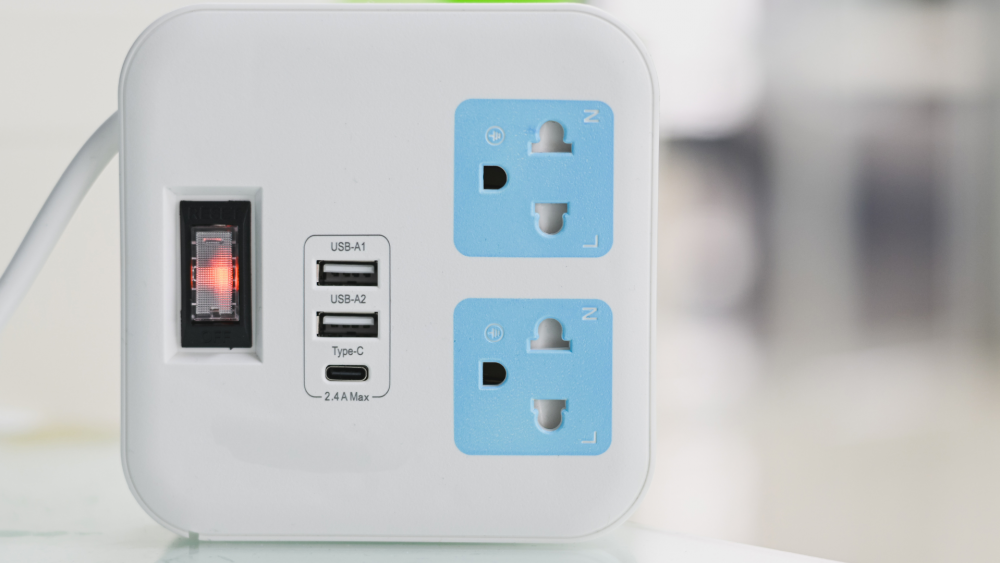
What to Check Before Buying
Don't just look at the number of outlets or the design. Here are the key things you should actually check:
- Has the TIS certification mark for extension cords
- Clearly specifies total power capacity, such as 10A, 16A, or wattage rating
- Indicates the wattage per USB-C port, not just the total combined output
- Supports USB-C PD if you need fast charging or want to charge a laptop
- Provides power distribution details when using multiple ports simultaneously
- Outlets fit securely without being loose or wobbly
- Made of sturdy materials that are not thin or brittle
- Equipped with overcurrent protection
- Avoid unusually cheap products lacking clear specifications
For Thailand, look specifically for the TIS 2432-2555 standard for extension cords. Information from the Thai Industrial Standards Institute (TISI) also specifies that power strips with 3 or more socket outlets should feature overcurrent protection devices.
How to Use Power Strips Safely
No matter how good the specifications are, improper use can still pose hazards. The simple rules are: do not exceed the power rating, do not place it in enclosed spaces, do not leave the cord tightly coiled under heavy load, and do not use damaged power strips.
If you notice any of these signs during use, stop immediately:
- The power strip becomes abnormally hot or emits a burning smell
- The socket is loose or the plug wobbles when inserted
- Loose power switch
- Short circuit sounds or sparks
- Stiff, cracked, brittle, or swollen power cord
- Device becomes abnormally hot during charging
Power strips are items we use daily and take for granted, but once abnormal symptoms appear, you should not force continued use. Loose connections, degraded cables, or accumulated heat can turn into major problems unexpectedly.
Is it worth it for actual use?
It is worth it if you choose one that matches your devices—not just seeing a USB-C port and assuming it will fast-charge every device. Key points to check are wattage per port, USB-C PD standards, power distribution when multiple ports are plugged in, and the total wattage of the power strip.
If you choose the right wattage, use the proper load, and place it in a suitable location, Cable reel USB-C can indeed replace a charger block conveniently. However, if you choose based on the cheapest price or just the words 'Fast Charge' on the box, you may end up with something that charges slower than expected and carries more risk than necessary.