


 EN
 ไทย


Customers Also Purchased

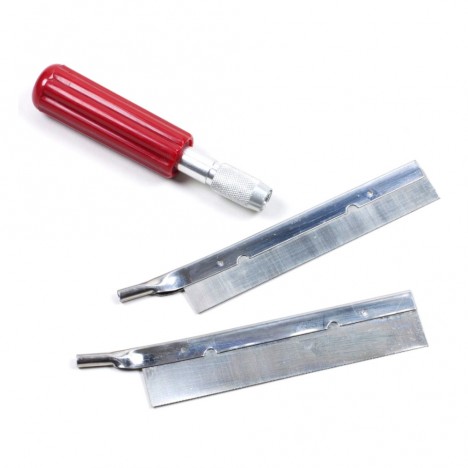



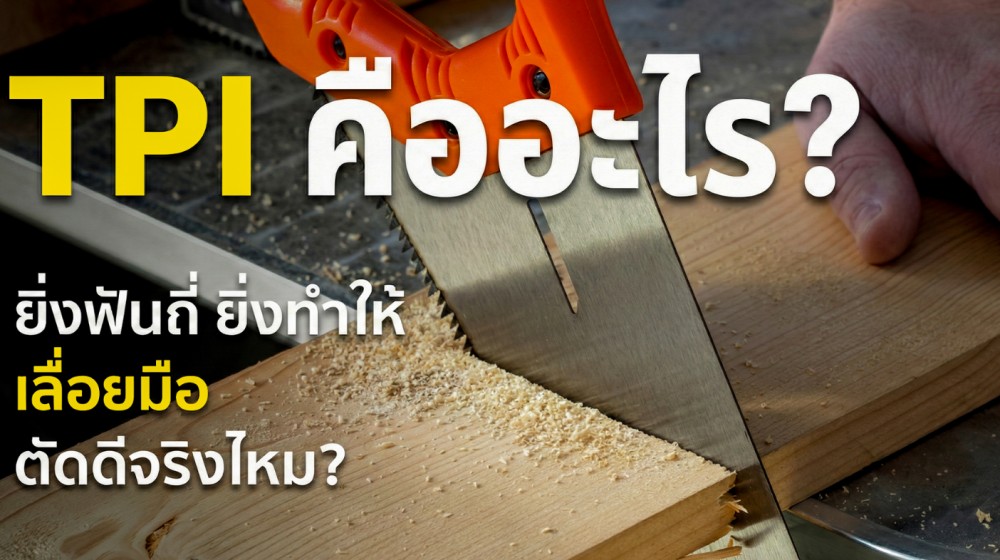
Have you ever wondered why hand saws that look identical perform so differently—some deliver clean, smooth cuts while others leave rough, splintered edges? The simple answer is that it depends on the number of teeth, also known as TPI.
In this article, we will clearly explain what TPI is, whether "fine teeth" really make a hand saw cut better or if they are only suited for certain tasks, along with common real-world job-site scenarios to give you a clear picture.
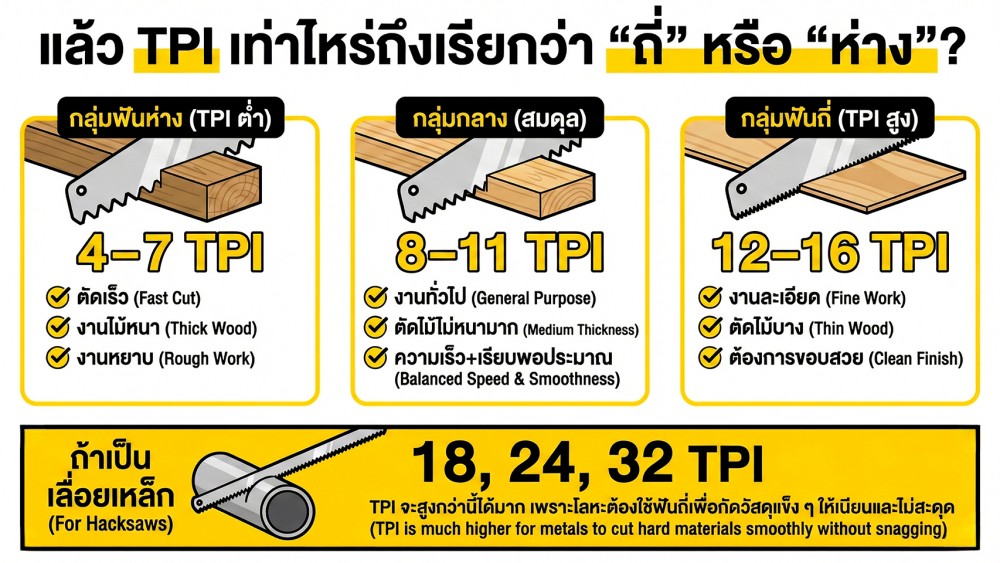
What is the TPI of a hand saw?
TPI stands for Teeth Per Inch (the number of teeth per 1 inch), which is a unit of measurement for blade pitch and tooth density.
- High TPI = Fine / closely spaced teeth
- Low TPI = Coarse / widely spaced teeth
Saw teeth don't just "bite"—they must also "clear sawdust"
Think of hand saws the blade as many tiny teeth gradually biting into the workpiece stroke by stroke. Once they bite, there must be room for debris to escape the kerf; otherwise, the blade just drags debris through the slot instead of actually cutting. While very fine teeth have the advantage of taking delicate bites for a smoother cut, this comes with a trade-off that people often overlook: the gullets between the teeth become much smaller. With smaller gullets, less sawdust or material dust can be cleared per stroke. When cutting thicker or slightly damp wood, as soon as debris packs in, you'll immediately feel the saw bind and drag as if it were dull—when in fact, it just can't clear the waste fast enough.
That's why the saying "more teeth = better cut" is only half true. Fine teeth excel when you need a smooth finish on thin materials. However, if you need fast cuts, are cutting thick stock, or are working with materials that produce a lot of waste, fine teeth can slow you down and cause fatigue instead. Ultimately, it all comes down to what you are cutting and the exact result you want to achieve.
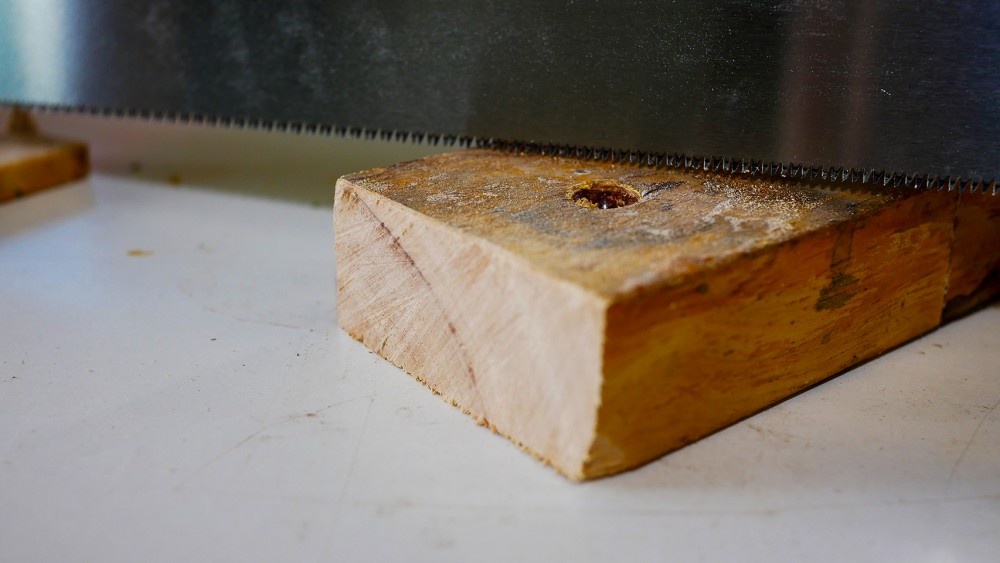
Is it true that the finer the teeth on a handsaw, the better it cuts?
The answer is... "it depends on the job." To be completely honest, finer teeth do not always mean a better cut. If you want a smooth finish for exposed surfaces, you need a fine-tooth blade. But if you need to remove material quickly and get the job done on time, a blade that is too fine will be slow and tire you out without you even realizing it.
Handsaws follow the exact same logic. Fine teeth do give a cleaner cut, but at the cost of speed and the risk of binding or clogging when cutting thick workpieces or high-debris materials. Imagine this: if you cut thin wood, like baseboards or thin plywood, using teeth that are too coarse, they will snag one by one, causing the workpiece to vibrate and the edges to splinter easily. But switch to fine teeth, and it cuts smoothly, resulting in a much cleaner edge right away.
Conversely, if you use fine teeth to make long, continuous cuts in thick wood, it will feel fine at first, but after a while, you'll start experiencing what people commonly run into:
- Each saw stroke starts to feel heavier.
- It starts to make a dragging, binding sound.
- You have to push down harder and harder.
And finally, out comes the classic complaint: "This handsaw is dull!" Even though it might not be dull at all—the teeth are just too fine to clear out the sawdust in time, making it feel like it's not cutting.
Advantages of Fine Teeth (High TPI)
- Cleaner cut because it removes material finely
- Reduces chipping/splintering, especially on brittle or veneered surfaces
- Easier to control the cut line on detailed work because the teeth don't bite too aggressively
Disadvantages of Fine Teeth (High TPI)
- Slower cutting speed because it bites away less material at a time
- Prone to binding and clogging with debris, especially on damp wood, thick wood, or high-debris materials
- Tires your hands quickly during long cuts because it requires many more strokes
Advantages of Coarse Teeth (Low TPI)
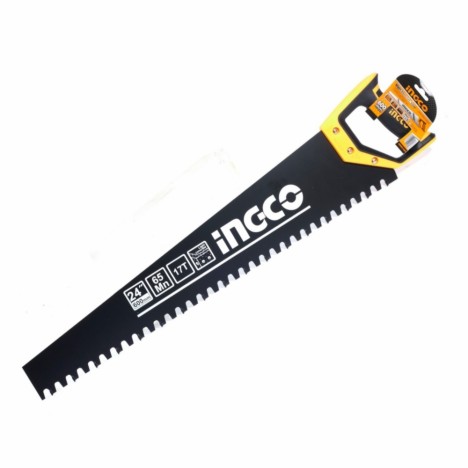
- Removes material quickly because it bites deeper with each stroke
- Clears a large volume of sawdust, ideal for thick wood, rough work, and fast cuts
- Less prone to clogging compared to fine teeth
Disadvantages of coarse teeth (low TPI)
- Rougher cut finish, with edges prone to fraying or splintering
- Prone to chipping or tear-out, especially on thin wood or decorative veneers
- Harder to start cuts on certain materials because teeth bite too aggressively and slip
Simple rule of thumb: Fine teeth for thin materials, coarse teeth for thick materials
This is an easy-to-remember rule I use very often when I need to pick a saw blade quickly without overthinking:
- Thin materials → Go for high TPI (fine teeth)
- Thick materials → Go for low TPI (coarse teeth)
The reason is very straightforward…
For thin materials like thin plywood, molding, laminate sheets, or even thin plastic, using teeth that are too coarse will cause the teeth to "catch" the workpiece bit by bit. The workpiece will vibrate, wander off the cut line, and the edges will easily chip or splinter. Once you switch to fine teeth, the bite is smoother, hand control is easier, and the cut looks clean right away.
On the other hand, for thick materials like solid lumber, damp wood, or pieces requiring long cuts, using teeth that are too fine will result in cuts that "work well at first, then get increasingly stiff." That is because sawdust packs into the gullets; as you saw, it feels more like the blade is "dragging sawdust" rather than truly "biting wood." Eventually, you inadvertently press harder and end up with tired hands without realizing it.
Real-world job site experience
Fine teeth that people assume are better, but actually result in worse cuts—we see this case very often, especially among woodworking beginners.
Case 1: Using a fine-tooth blade to cut thick wood and complaining the saw isn't sharp
After sawing for a bit, you'll start feeling the saw drag and require more downward force, making an odd scraping sound. Many immediately conclude that the "blade is dull." But in reality, it might not be dull at all; the TPI simply isn't suited to the wood's thickness. Sawdust clogs the gullets, eliminating the cutting bite. An easy way to check: pull the saw out and inspect the kerf. If sawdust is packed tight or wood is stuck in the teeth, that's the culprit.
Case 2: Ultra-fine teeth that "skid" at the start of a cut because of improper technique
Some fine-tooth blades have delicate and relatively "soft" teeth. If you start cutting by pressing down hard, the teeth won't bite immediately, causing the saw to slip across the wood surface and ruining your marked line right from the first stroke. A helpful technique from real experience: start by pulling lightly for 2–3 strokes to let the teeth create a "starter kerf" before applying more pressure. It sounds simple, but it noticeably keeps the line straighter.
Handsaw techniques for instantly better cuts, even without the ideal TPI
Sometimes on the actual job site, you only have one blade and limited time, making it impossible to switch blades for the perfect TPI every time. What helps the most then is your technique: just tweaking your rhythm slightly can noticeably improve the outcome. Here are the practical, tried-and-true tricks I've gathered for you.
Let the teeth establish a kerf first, don't press down yet
When starting a cut, I never press down hard. Just place the teeth touching the cutline and make 2–3 light strokes to create a guide kerf first (like laying down tracks for a train). Once the kerf is established, gradually apply pressure. This helps in two ways: the saw doesn't slip, and the cutline doesn't stray right from the start.
Use long strokes utilizing the full length of the teeth, and let your arm do the work
Many people inadvertently make short strokes out of fear of wandering off the line. In reality, long strokes allow the teeth to work across their full cutting edge, cutting more smoothly and preventing uneven localized wear that can bend the blade. I try to pull through the full controllable stroke and guide the direction using my shoulder and elbow rather than twisting my wrist. The cutline will stay much steadier.
Listen to the saw; if you have to press down hard, something is off
A sharp saw with the right TPI produces a steady "biting" sound and cuts effectively with moderate pressure. If you start feeling the need to press harder and harder, it's usually not a lack of hand strength. Instead, it typically stems from one of these issues:
- TPI is too high (teeth too fine) to clear debris fast enough
- The teeth are becoming dull
- The kerf is clogged with debris / the blade is binding
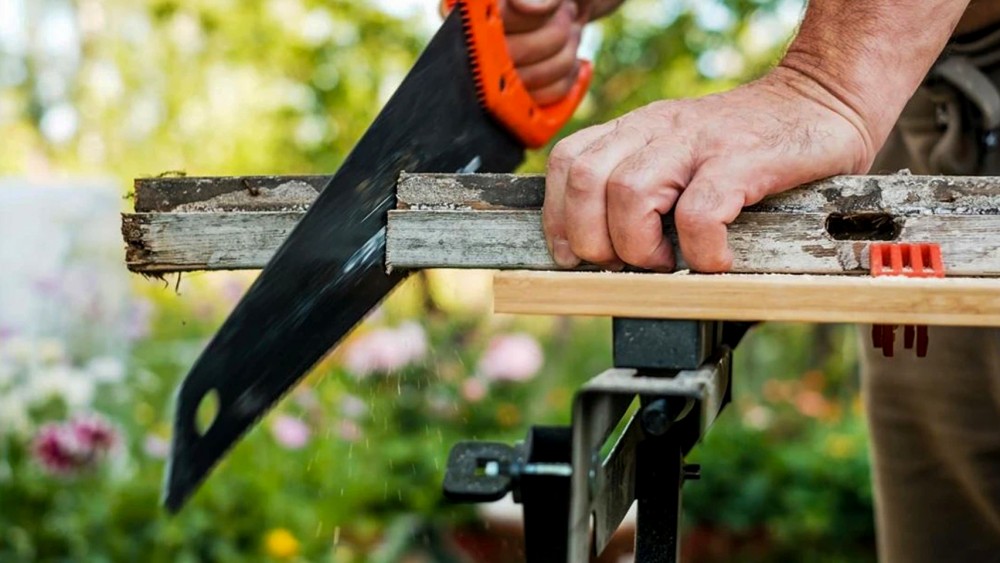
After cutting for a bit… withdraw, tap out the debris, and realign with the cutline
Especially with damp, thick, or high-dust wood, periodically "pull back to let it breathe." Just tap the debris out from the teeth and the kerf, then slip back into the cut. You'll immediately feel the saw cutting smoothly again without needing to repeatedly force it.
The workpiece must be firmly secured first so the cut won't wander (clamp / support the offcut end)
This is crucial but often overlooked. If the workpiece wobbles or the overhang drops, its weight will twist the kerf and pull the cut off line. Even the perfect TPI won't help much then. I always make sure to clamp the piece securely, and as the cut nears completion, properly support the offcut end so it doesn't tear out the edge at the very end.
If you're worried about chipped edges, use tape before cutting (especially for visible finish surfaces)
For plywood, laminate, or wood prone to splintering, I like to apply masking tape over the cutline first and mark the line on the tape. It really helps support the surface fibers, reducing tear-out and chipping—especially during the finishing stroke, where damage often occurs.
Get an instantly straight line with a simple wooden guide
If you want extra confidence in straightness and have a scrap piece of wood, try using it as a guide along the cutline, running the saw right against it. This helps beginners immensely when aiming for a straight cut while still mastering wrist control. These tricks are lifesavers on days when the TPI isn't ideal or you only have one blade on hand. Just ensure a steady start, smooth cutting, and avoid forcing the blade, and your handsaw results will be better than expected.
Conclusion
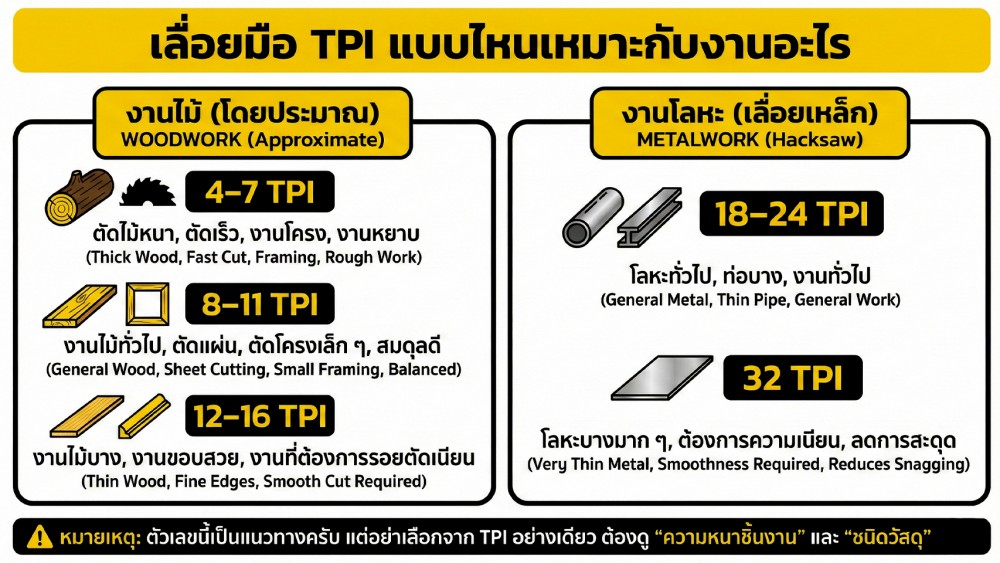
Does a finer tooth count really make a hand saw cut better? Here is a clear, simple summary to remember:
- Fine teeth (High TPI) = ideal for smooth edges, delicate tasks, and thin materials; however, cutting is slower and kerfs may clog in thicker stock.
- Coarse teeth (Low TPI) = ideal for speed, thick wood, and rough cutting; however, edges can be rough or chipped, and cutting thin materials can be tricky.
Ultimately, TPI is a key factor in choosing a hand saw that gives you true value. Pick the right one for the job, and you'll cut faster, achieve cleaner finishes, and feel noticeably less fatigued.
Select hand saws to suit the application