


 EN
 ไทย


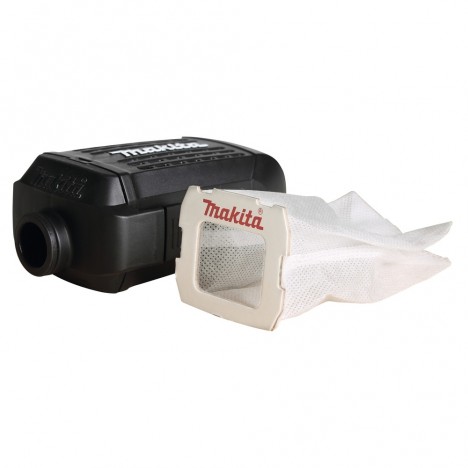
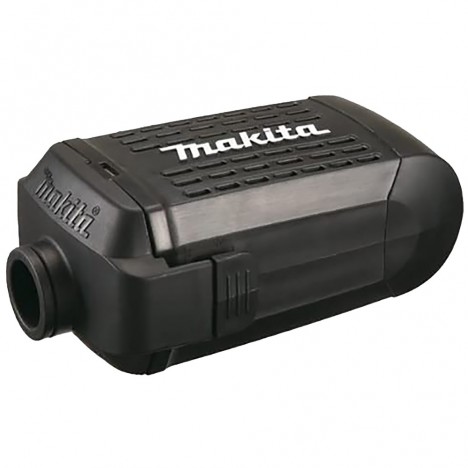
When using a vacuum cleaner, most people simply switch it on, drag it around the house, and put it away when done, assuming it will last forever. But did you know that A vacuum cleaner is more than just a motor and a suction hose Inside, it is packed with small parts that need periodic replacement. If left unchanged, the once-powerful suction will gradually fade away, and there's even a risk of dust blowing back into the room instead of being trapped in the canister.
When suction power starts to drop, many people assume, "It's broken, time to buy a new one," even though the cause is often just Spare parts:a few internal components such as a clogged filter, a worn brush, or a stretched belt. Neglecting these small parts not only recirculates dust, but also forces the motor to work harder, shortens its lifespan, and can mysteriously drive up your electricity bill.
Today, Nong Chang will take a deep dive into vacuum cleaner spare partsDust that we often overlook, what they are, and when to replace them so you don't have to spend big on a new machine when proper maintenance is all it takes to keep it running long-term.
“Replace the right parts at the right time, and your vacuum will regain its powerful suction like new—no need to keep buying new machines!”

Why small spare parts matter
Vacuum Cleaners It operates on simple principles yet incorporates intricate internal mechanisms. The motor spins the impeller to generate suction; air and dust are drawn in, pass through a multi-stage filtration system, and clean air is then exhausted back out. The hardest-working components are the filters and nozzle brushes because they face dust directly every day.
Once the filtration media starts to clog, air flow becomes restricted → the motor must spin harder to maintain suction → consuming more power and risking premature failure. Ultimately, a machine purchased less than two years ago might have to be sent in for service simply because consumable spare parts were never replaced.
Vacuum cleaner spare parts that should be replaced

1) Dust Filters (Pre/HEPA Filter)
The filter is like the vacuum cleaner's lungs. Once it's clogged, the machine struggles to breathe, suction power vanishes, and dust gets blown back into the air. Most vacuum filters have 2 stages: the first stage is Pre-filter for trapping large dust, hair, pet fur, and paper scraps; the second stage is HEPA Filter which performs finer filtration, capturing microscopic particles such as dust mites, pollen, allergens, and even cigarette smoke.
A common mistake many people make is buying cheap filters that do not meet true HEPA standards. Sometimes labeled "HEPA-like," they cannot filter down to the standard 0.3 microns at all. As a result, it feels like it's not vacuuming properly, because tiny dust particles can still escape into our lungs.
- Approximate replacement schedule: Pre-filter: wash every 1–3 months / HEPA: replace every 6–12 months (or more frequently under heavy use or with pets)
- Warning signs: Dust smell when turning on the machine, weaker suction, dust blowing out of the exhaust vent.
2) Dust Bag / Dust Canister
Something that seems insignificant but makes a huge difference. When a dust bag is about 70–80% full, it should be replaced right away—do not wait until it is completely packed. Reduced airflow prevents the machine from picking up dirt and forces the motor to overwork, risking premature failure sooner than you think.
As for machines using a plastic tank or dust box, although they don't need replacement, they should be emptied and dried after every use—especially in homes with pets, as pet hair and moisture can become breeding grounds for mold.
- Replacement/cleaning cycle: Paper bag—single use / Cloth bag—wash and replace every 6–12 months / Dust bin—empty after every use
- Warning signs: Dust flying around when opening the lid, musty odor even right after emptying the bin
3) Main Brush & Side Brush
For robot vacuums or rotating motorized nozzles on carpets and fibrous surfaces, after prolonged use, hair, pet fur, and threads will tangle around the brush until it stops spinning, cutting the actual suction power in half. The floor might still be dirty even after the machine has run all over it.
If not cleaned and replaced as scheduled, the rotating motor will be forced to work under strain and can eventually burn out. Furthermore, worn-out brushes may scratch and damage your floors or carpets.
- Replacement cycle: 6–12 months (depending on usage and floor surfaces)
- Warning signs: Squeaking noise, brush not spinning, poor debris pickup

4) Vacuum Cleaner Belt
The belt transfers power from the motor to rotate the brush roll. If it starts to stretch or crack, the brush roll will spin slowly or stop altogether, preventing the vacuum from picking up dirt from carpets and floors as it should.
A very clear warning sign is a burning rubber smell or an unusually high-pitched motor sound. Sometimes opening the cover will reveal cracks, white stress marks, or fine rubber dust.
- Replacement cycle: 6–12 months, or sooner if used on thick carpets
- Warning signs: Burning rubber smell, brush stopped/spinning slowly, high-pitched whining sound
5) Battery (for cordless models)
For cordless vacuums, the battery determines whether the machine can operate at full power. If the battery degrades, the vacuum will only run for a few minutes; sometimes it quickly drains despite a full charge, or suction drops to the point where you have to go over areas repeatedly.
- Average lifespan: 2–4 years
- Warning signs: Fully charged but only lasts a few minutes, machine heats up quickly, swollen battery
6) O-rings/seals & dust gaskets
These are small parts that many people never think to check, but they are crucial for suction power. If an O-ring deteriorates, becomes brittle, or cracks, air will leak out, resulting in weak suction even though the filter and motor are still fine. Sometimes dust escaping through joints is actually caused by loose seals.
- Replacement cycle: 2–3 years or depending on condition
- Warning signs: Hissing air leak sounds, weak suction even after thorough cleaning

7) Motor filter sponge & carbon odor filter pad
Located near the exhaust vent, if this part gets dirty, it's like re-releasing musty odors and dust back into the room. Sponges on some models also filter moisture and bacteria; if not replaced, musty odors and germs will accumulate.
- Replacement cycle: 6–12 months or sooner if the home is humid or has pets
- Warning signs: Avoid scrubbing hard to the point of tearing the sponge. It is better to gently tap or vacuum the dust out if it is not designed to be washed with water.
Signs that "it's time to replace"
- The machine sounds louder than usual: Normally, a vacuum cleaner operates with a steady, uniform tone. However, if it starts producing a high-pitched whining noise or abnormal sounds, it indicates that air is being forced through a clog, or components such as the belt or brush roll are jammed. This sound serves as an early warning to stop using the machine and inspect it.
- Noticeable drop in suction power: If you notice you have to make more passes than usual, dust is not being drawn into the tube, or the floor still feels gritty after vacuuming, it means there is an issue with the airflow system. Most commonly, this is caused by a clogged filter, an overfilled bag or dust canister, or air leaking around seals and O-rings.
- Smell of dust or burning during operation: If you detect a strong smell of dust, it means the filter is starting to clog and dust is blowing back out. If it is a burning smell, it indicates an obstruction causing the motor to overwork and the belt to slip or experience excessive friction.
- Dust blowing out of the rear exhaust vent: Normally, the exhaust air should be clean. However, if you see dust blowing out like a cloud of smoke, it indicates that the main filter may be damaged or not properly sealed, allowing dust to escape back out.
- Smart models show an Error or filter warning light: Newer vacuum cleaner models feature sensors that monitor suction power and airflow. If a light comes on or the app alerts you frequently, it means the system has detected a problem—whether it's a jammed brush, a clogged filter, or a full dust bin. Do not ignore warning lights for an extended period.
How to Choose "Vacuum Cleaner Spare Parts" Correctly & Worth the Value
1. Check the model number before ordering
Before ordering spare parts, the first thing to do is check the machine's "model number." It is usually located on a sticker under the machine or in the manual included at purchase. If bought online, it is often specified on the store's spec sheet. If you can't find it, try searching the model name + "manual" or "spec" to find the information. This code is crucial because it indicates dimensions, fittings, mounting points, and the operating system. Choosing the wrong one—even if it's an authentic part—may result in an improper fit or a loose connection, leading to reduced suction power or air leaks.
2. Genuine vs. Compatible Parts
Naturally, genuine parts offer an exact fit and meet standard materials, ensuring safety and longevity, though their price is typically higher. On the other hand, "compatible parts" today are not as bad as you might think. If you choose from stores with authentic reviews and clear specifications, they perform well and offer better value, especially for frequently replaced items like filters or brushes. However, for components involving electricity or heat, such as batteries and drive belts, it is best to stick with genuine parts or reputable brands to minimize the risk of damaging the machine.
3. Review Complete Specifications
Don't just verify that it "fits the model." You should also check the specifications, such as ensuring a HEPA filter is rated H12/H13 or higher to genuinely filter fine dust and allergens (some are labeled HEPA but don't meet the standard). For brushes, inspect the bristle material to ensure it resists hair and pet fur without breaking easily. For belts, check heat resistance and tensile strength. For cordless vacuum batteries, verify that the mAh (capacity) and voltage (V) match the originals, as even a slight discrepancy can cause the machine to underperform or break down.
4. Combo Packs
Sometimes buying spare parts individually can be more expensive and may lead to forgetting to replace certain components. Look for combo sets that include the main filter, spare filter, main brush, side brushes, and belt in a single box. They are usually cheaper than buying items separately and make it easier to track what needs replacing in one cycle. Especially for robot vacuum users, purchasing a full replacement set every 6–12 months is more cost-effective and convenient.

Maintain Long-Lasting Suction Power
- Tap dust off the pre-filter after every use or once a week
- Empty the dust bin immediately after use and wipe it dry
- Remove hair and fibers tangled around the brush; do not let them accumulate
- Store in a dry place, away from sunlight and high heat
- Cordless models: Recharge when battery is around ~20–30%, and avoid leaving it at full charge for prolonged periods
Replacement Cycle / Warning Signs Summary Table (Quick Overview)
| Part | Approx. Replacement Cycle | Washable? | Warning Signs |
|---|---|---|---|
| Pre-filter | Wash every 1–3 months | ✔ Frequently depending on dust level | Suction power drops, dust trapped on the mesh |
| HEPA filter | 6–12 months | ✖ (Unless specified as Washable) | Dusty smell / dust blowing out of the exhaust vent |
| Main/Side Brush | 6–12 months | Cleanable | Fails to sweep, brush gets stuck / squeaking noise |
| Nozzle drive belt | 6–12 months | ✖ | Brush not spinning, burning rubber smell |
| Dust Bag / Dust Bin | Empty/replace at ~70–80% | Bin is washable | Dust dispersal / musty odor |
| Battery (Cordless) | 2–4 years | ✖ | Short run time, overheats quickly |
| O-ring / Seal | 2–3 years | Wipe clean | Air leak sound can be heard |
| Motor foam / Carbon | 6–12 months | Some models are washable | Musty odor even when other parts are clean |
Replacing small parts in time is cheaper than buying a new machine
Whether a vacuum cleaner performs well or not depends on maintaining consumable spare parts. Filters, brushes, belts, batteries, and small seals all work harder than we think. If you take care to replace and clean them regularly, an old machine you thought you had to throw away might return to full suction power like new—without having to spend money buying a replacement so often.
Final tip from our technician: "Set a replacement reminder on your phone or stick a date label right on the machine. Just doing this helps extend its lifespan and maintain steady suction power for the long run."