


 EN
 ไทย


Customers Also Purchased


You might think a laser distance measurer can measure anything—whether outdoors, indoors, day, or night—and works the same all around, right? But in reality, measuring outdoor areas with a laser distance measurer requires considering many factors, whether it's sunlight, distance, reflectivity, or even the surface you're aiming the laser at.
In this article, I will walk you through what you need to know and how to prepare when using a laser distance measurer for outdoor jobs or exterior work to ensure the fastest and most accurate measurements possible.
Why is using a laser distance measurer outdoors different from indoors?
Many people who use laser distance measurers effectively indoors assume they can just take them outdoors right away because they're so easy to use—just press a button to get a reading without needing someone to hold a tape measure. But when actually putting it to use, they run into various problems, such as not being able to see the laser dot or getting measurements that aren't as accurate as they should be.
These issues don't come from the device alone, but from the environment, which is completely different from indoors. Whether it's bright sunlight, reflective surfaces, strong winds, or blowing dust, all of these affect your measurements.
Therefore, if you plan to use a laser distance measurer for outdoor work, you need to understand the nature of the outdoor environment as well—not just rely solely on the device's functions.
Factors affecting outdoor measurements:
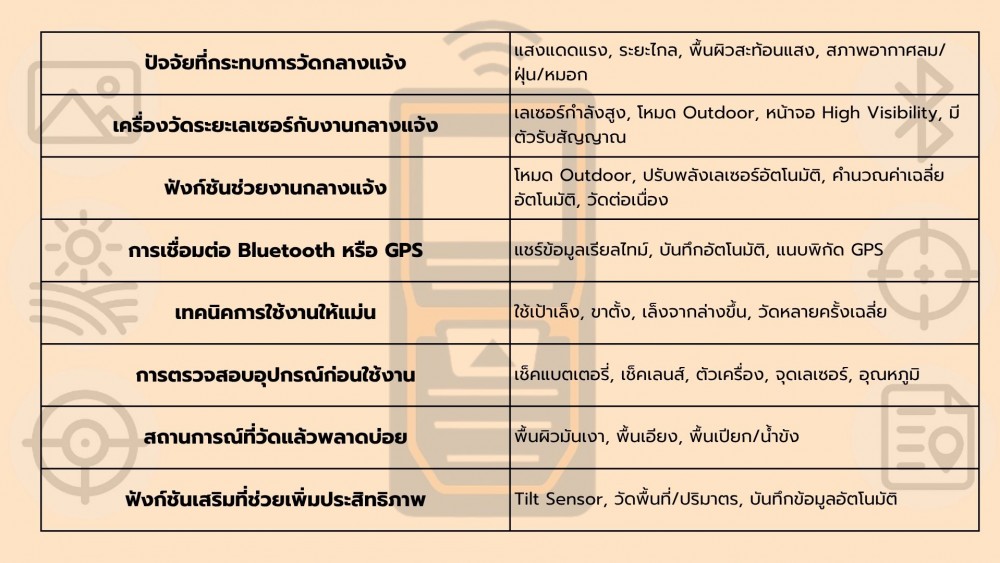
- Strong sunlight: Makes the laser dot invisible, especially during the daytime.
- Long distances: Some laser distance measurer models are not designed to measure over long distances beyond 50-100 meters.
- Reflective surfaces: Certain surfaces cannot reflect the laser back to the device properly, leading to inaccurate measurements.
- Weather conditions: Wind, dust, or even light fog can also interfere with measurements.
Simply put, even if a laser distance measurer can shoot a laser far away, if it "doesn't receive it back properly" or your "eyes can't see it," the measurement is practically meaningless.
Measuring outdoors: Which type of laser distance measurer should you choose?
Many people have seen laser distance measurers used at home or in the office and felt how precise they are—just one press and the number is exact, right? But when trying to use it outdoors, such as measuring a fence, the road in front of the house, or a tree planting line, they find it's not as easy as they thought. The laser dot that was once clearly visible in a dark room becomes totally invisible under bright sunlight. Sometimes the readings jump around, no longer as accurate as before.
In reality, choosing a laser distance measurer for outdoor use requires thinking ahead about several factors. The outdoor environment is not like indoors: light, heat, wind, and even surrounding materials all impact measurement accuracy.
1. Choose a model specifically designed for outdoor work
Laser distance meters designed for indoor use—such as interior design, wall measuring, and ceiling measuring—do not have to contend with intense light. However, using them outdoors can lead to inaccurate measurements or make them unusable altogether.
A device suitable for outdoor work should have:
- High laser output power (e.g., Class 2 or 3R)
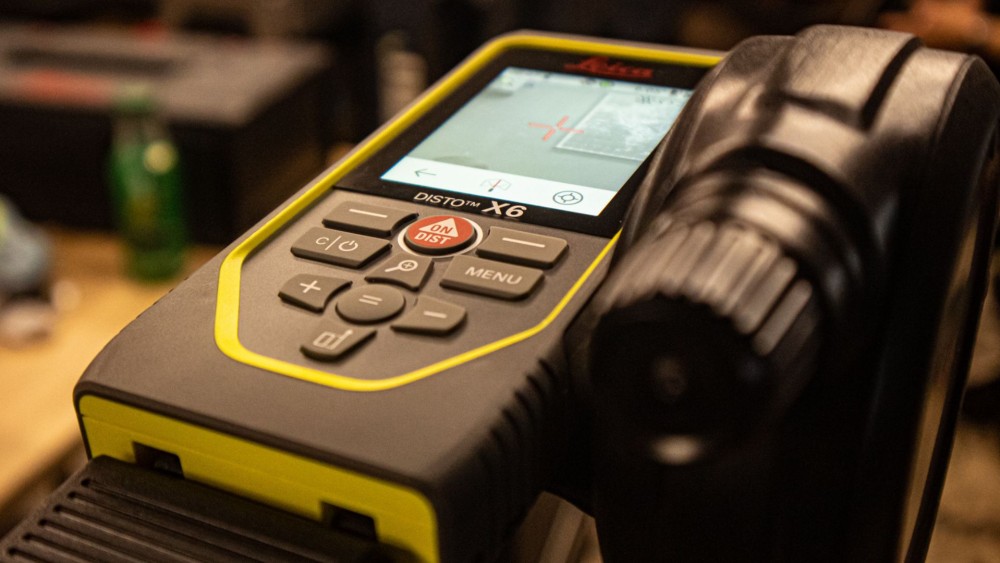
- A high-visibility display or one readable even in bright conditions
- Outdoor mode or Long Range Mode
- A receiver for use with a leveling rod (staff) or target plate
2. Equipped with an automatic light-sensing system or outdoor adjustment mode
Choose a laser distance meter that allows you to adjust the laser power level or fine-tune sensor sensitivity for outdoor use. For example, enhancing targeting accuracy at long distances or increasing measuring frequency to maintain accuracy even in windy conditions. Additionally, some models feature automatic adjustment modes to cope with intense sunlight, or an option to take multiple measurements and automatically average them out, helping reduce errors caused by uncontrollable environmental factors.
Examples of functions to look for:
- “Outdoor” mode for outdoor use
- Automatic laser power adjustment based on ambient light levels
- Multi-measurement system with automatic averaging
- Sensor sensitivity adjustment for areas with vibrations or strong winds
- Ability to capture distances continuously while aiming at targets
3. Choose a laser distance meter with Bluetooth or GPS functions
While this might not directly affect measuring performance itself, having Bluetooth connectivity to mobile apps or GPS is a major advantage for large-scale construction or outdoor land surveying. It makes data management much more convenient and precise—such as updating distance data in real time, sharing directly into project apps, or sending back to the office without having to memorize or jot down notes on paper. This minimizes human error and saves a great deal of time.
Benefits of connectivity functions in a laser distance meter:
- Instantly share real-time distance data with construction teams or engineers at other sites
- Record distance measurements into an app for further analysis and floor plan generation without having to take photos or write by hand
- Connect to GPS to automatically attach coordinates to measurement points, ideal for large-area surveying.
- Reduces manual recording errors and speeds up data storage.
How to Use a Laser Distance Meter Effectively Outdoors
Beyond choosing the right laser distance meter, several techniques can help you measure more accurately, save time, and avoid repeated efforts. These small tips may seem insignificant at first, but they have a huge impact on measurement results—especially when working against time or dealing with uncontrollable environmental factors.
Accurate Outdoor Measurement
Measuring outdoors isn't just about distance; several factors can affect accuracy, such as sunlight, wind, dust, or even ground slopes. These variables make using a laser distance meter outdoors a task requiring proper knowledge and understanding.
Therefore, if you plan to use a laser distance meter to measure fences, lawns, plot house layouts, or map outdoor piping and wiring runs, proper preparation ensures accurate measurements, eliminates time wasted on remeasuring, and significantly reduces errors that could impact subsequent steps.
- Use a reflective target plate: These targets are typically red or slightly reflective to help the laser beam bounce back even in bright sunlight.
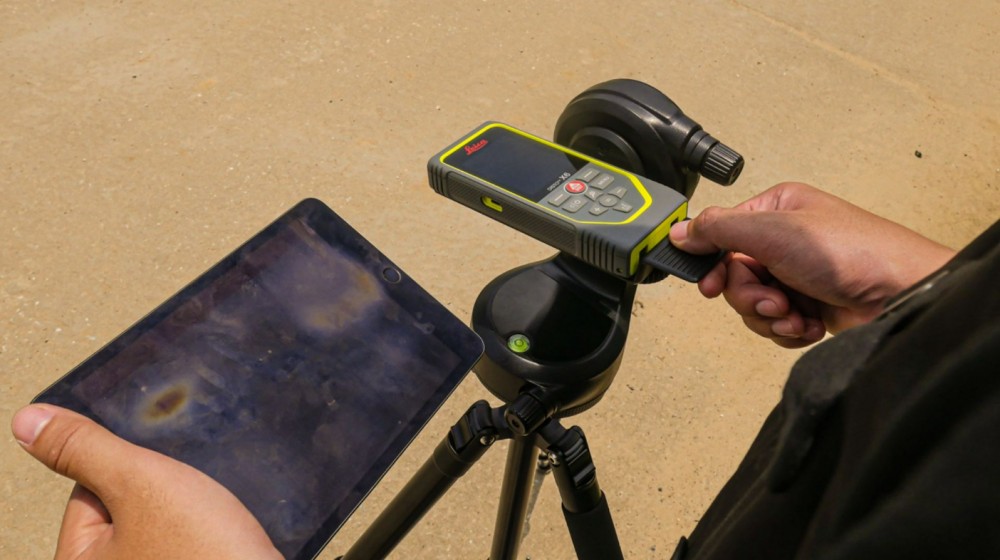
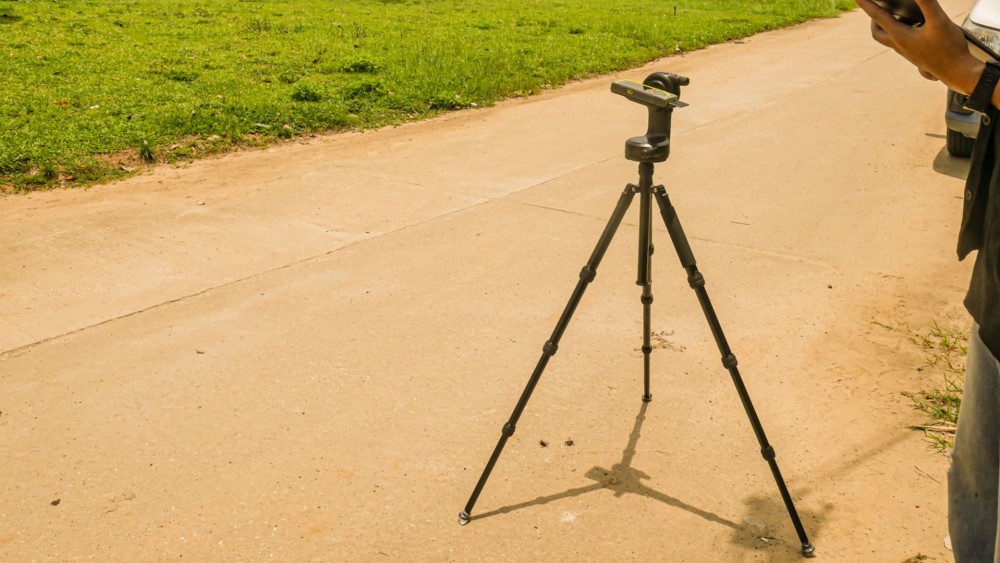
- Use a tripod: Reduces shaking and helps measure the same point repeatedly with greater accuracy.
- Aim upwards from a lower point, not downwards from a high point: To keep the distance and laser angle straight.
- Take multiple measurements and calculate the average: Especially if the area is windy or very dusty.
Check Equipment Condition Before Use
Checking your laser distance meter before use is often overlooked, yet it is a crucial step. It impacts not only measurement accuracy, but also user safety and the tool's lifespan.
- Check that the battery level is sufficient.
- Check if the laser lens has dust or smudges.
- Check if the unit has any signs of impact damage.
- Check whether the laser dot is straight or off-center.
- Use the laser distance meter in an area where the temperature does not exceed the supported operating range.
Example situations to carefully consider before taking a measurement
Some situations that seem harmless often turn out to cause frequent laser distance meter errors, such as:
- Measuring near glossy surfaces Such as smooth steel or glass: the laser may not reflect back into the sensor properly.
- Steeply sloped areas: Measuring from a high point to a low point or at an off-angle will result in inaccurate readings.
- Wet or flooded surfaces: The laser reflects off the water and scatters, leading to inaccurate readings.
In these cases, aim the laser at a matte material or use a laser target plate.
Additional features that make outdoor measurement easier
Newer laser distance meters today do not just shoot a straight laser beam. They also come with various features that make outdoor measuring more accurate and convenient, requiring practically no extra tools. If you choose a tool that is truly suited for outdoor work, you can measure accurately and quickly without wasting time on frequent repeat measurements.
1. Tilt Sensor or Inclinometer Function
Helps measure the inclination angle of the laser distance meter, letting you know whether you are measuring straight or tilting in any direction. It prevents errors from misaligned measurements and allows you to position the device accurately even on sloping or uneven surfaces, such as grass or field grounds.
- Mount the device on a tripod to reduce shaking and increase stability.
- Turn on the angle display to align the device properly before taking measurements.
- Use the angle lock function to ensure consistent, accurate measurement angles across multiple points.
2. Area/Volume Calculation Function
Ideal for those who need to measure area or the volume of soil and foundations without the hassle of recording multiple points and calculating them manually. The laser distance meter can measure continuously and calculate results instantly, greatly reducing errors from manual note-taking or miscalculations. Additionally, you can quickly and accurately select the desired measurement units, such as square meters, cubic meters, or specific point distances like base length, column height, or hole diameter.
- Measures continuously at points with depth or slopes
- Automatically calculates area or volume from measured values
- Saves results on the device or connects to a mobile phone via an app
- Helps measure distances in hard-to-reach areas such as ditches, foundations, or slopes
- Reduces time spent measuring, recording, and calculating, while minimizing layout marking errors
3. Automatic Data Logging
Can store measured values from each session in internal memory, along with instant data transfer functions to an application via Bluetooth or Wi-Fi. This eliminates the need for users to memorize or write down figures on paper, reducing errors from incorrect notes or misreading values later. Additionally, GPS location data or on-site photos can be attached for easier measurement reference.
- No need to record numbers by hand, reducing human error
- Transfers data to the app in real time
- Access historical data at any time
- Conveniently attach location data or supporting photos
- Increases efficiency in inspections and reporting
Conclusion: Using a Laser Distance Meter Outdoors Correctly
If you plan to use a laser distance meter for outdoor work, don't just assume having a laser pointer is enough. The most important factors are choosing the right meter for the job and using it correctly.
However, if you understand lighting conditions, select the proper accessories, and use the right functions for the job site, Laser distance meter it will operate at full efficiency, helping you save effort and time while ensuring accurate results at every measurement point.