


 EN
 ไทย


Customers Also Purchased
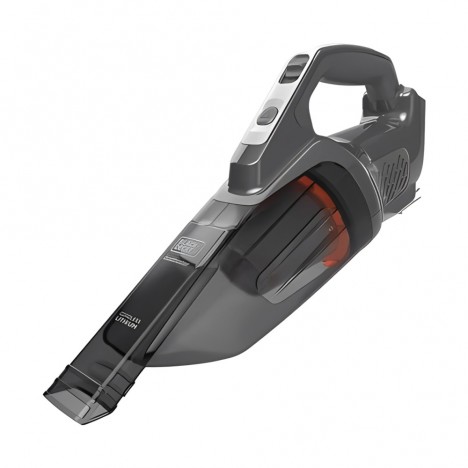
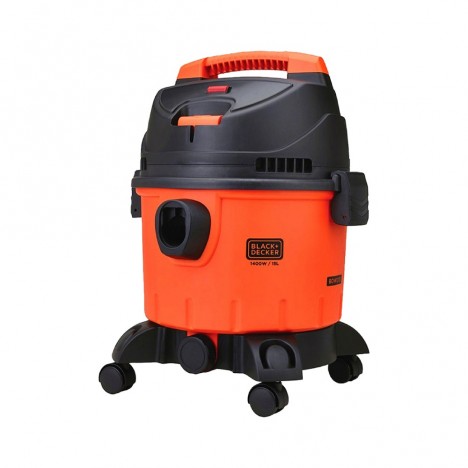
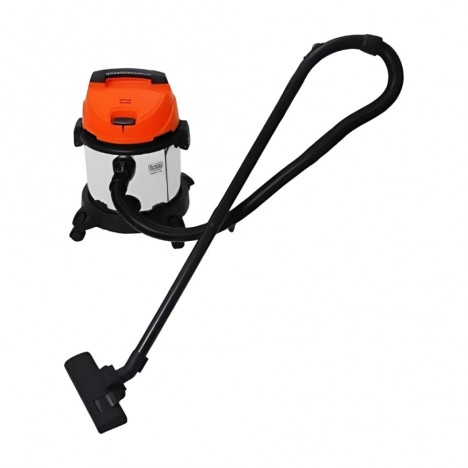


Have you ever felt that Vacuum Cleaners a vacuum cleaner that once sucked with maximum power suddenly won't pick up dust at all? You have to vacuum repeatedly, yet the floor still isn't as clean as before. A drop in vacuum cleaner suction is a common issue, and if left unchecked for too long, it can cause the machine to break down prematurely or fail to clean properly, unknowingly allowing dust to accumulate in your home. This article dives deep into the 7 main reasons why your vacuum cleaner loses suction, along with easy-to-understand DIY checks and fixes. Don't let your vacuum overwork itself—let's get started!
Why Is Vacuum Cleaner Suction Power Important?
All types of vacuum cleaners, whether corded or cordless, operate by using a motor to draw air through a hose or nozzle to suck dust, debris, or dirt into a dust bag or dust container. Having "good suction power" is therefore the heart of its operation. If suction drops, the machine won't pick up dirt properly, leaves dust behind, or multiplies the time you spend cleaning.
Symptoms of reduced suction can stem from multiple factors, including improper use, poor maintenance, or deteriorating components, which are easy to spot through signs such as:
- Having to vacuum over the same spot repeatedly
- Hearing the motor sound change or become quieter
- Dust getting stuck at the nozzle inlet instead of flowing into the dustbin
- Running the vacuum longer, yet the area remains dirty
7 Main Causes of Loss of Suction in Vacuum Cleaners
1. Full dust bag or dust container
When dust accumulates to capacity, airflow is immediately compromised because air cannot circulate properly inside the unit, leading to a noticeable drop in suction power. Even if the dust container doesn't look completely full, debris, hair, or clumped dust may block air inlets or internal sensors. This causes the performance control system to falsely detect a full bin or an issue, automatically reducing suction power to prevent damage.
Additionally, on some vacuum models equipped with automatic dust detection systems, if the dust inside the bin is packed too densely, it can interfere with the sensors. This triggers the system to automatically reduce power or display false warning alerts, such as blinking lights or intermittent beeping sounds.
Solution
- Inspect the dust box or bag every 2–3 days if used frequently.
- If used daily, wash the dust container at least once a week with clean water and let it dry completely (100%) before reinstalling it.
- Regularly check the air intake openings inside the bin or dust bag for blockages, and wipe the internal sensor areas with a soft, dry cloth to prevent dirt buildup.

2. Clogged or dirty filter
The filter serves as the primary barrier capturing dust particles before air reaches the motor, protecting internal components from damage. When the filter becomes clogged, airflow is directly restricted, resulting in a distinct drop in suction power.
This is especially true for models using HEPA filters, which have a dense, fine structure ideal for trapping microscopic dust and allergens. However, this fine filtration also makes them prone to clogging if not properly maintained.
Furthermore, leaving a filter caked with a thick layer of dirt can create backpressure that causes the motor to overheat quickly, increasing the risk of burnout or premature wear. It can also become a breeding ground for mold, bacteria, and unpleasant musty odors.
Solution
- Remove and inspect the filter every 1–2 weeks if used frequently.
- Use a small brush to gently sweep away dust or blow it clean with low-pressure air, taking care not to deform the filter.
- If it is a washable model, rinse it with room-temperature water. Do not scrub harshly with a brush, and allow it to dry thoroughly in the shade before reassembling.
- For non-washable filters, such as disposable HEPA filters, replace them according to the manufacturer's recommended schedule, or sooner if abnormal discoloration or musty odors occur.
3. Clogged suction tube or vacuum head
Small scraps of paper, hair, or tightly packed dust can form clogs that block the airway, cutting suction power in half without you even noticing. These tend to accumulate in hidden spots such as hose crevices, joints, or inside the vacuum head—especially when vacuuming carpets, curtains, or long-pile surfaces, where fibers and dust are even more likely to get tangled.
If the vacuum head features a motorized brush, dust or hair tangled around the brush roller can slow it down or cause it to stop rotating altogether. As a result, suction power cannot reach the floor surface properly, and the motorized head may overheat, causing long-term damage. It can also cause abnormal noises or excessive vibration during operation.
Solution
- It is recommended to remove and clean the vacuum head weekly, especially if used on carpets or floors with heavy debris.
- Use a small hook or wire to carefully pull tangled hair out of the brush roller, and check that no dust remains trapped in the airway.
- If the vacuum head allows the brush roller to be removed, take it out, wipe and wash it gently, and then reassemble it.
- Consider using a floor nozzle without a rotating brush for general vacuuming tasks to minimize hair and debris entanglement.
4. Loose joints or air leaking from seals
Even minor air leaks can cause suction power to drop significantly, as airflow is lost before it reaches the vacuum head. Inconsistent air pressure prevents dust and debris from being fully drawn into the dustbin. Moreover, air leaks can force the vacuum motor to work harder to compensate for the lost power, leading to motor overheating or reduced lifespan.
This issue is common in older vacuums or models that are frequently assembled and disassembled, such as multi-piece vacuums where hoses and attachments must be connected to the main unit every time. If these parts do not fit tightly or if rubber gaskets and air seals have worn down, gaps can form, allowing outside air to enter.
Solution
- Check all connections between the main unit, tubes, and vacuum head to make sure they are firmly attached, especially around swivel joints or locking latches.
- Listen while operating: if there is an abnormal hissing sound or if suction drops immediately upon connecting a hose, stop using the vacuum and inspect it right away.
- If rubber seals are torn or missing, replace them immediately; they are inexpensive but have a major impact on suction efficiency.
- You can apply soapy water around the joints and turn on the vacuum gently to detect leaks; if bubbles form, it indicates that air is leaking from that spot.

5. Deteriorating motor or worn-out carbon brushes
The motor is the heart of a vacuum cleaner's suction power, spinning at high speeds to generate airflow and vacuum. With prolonged use, the fastest-wearing components are the "carbon brushes," which conduct electrical current from the power wires to the motor coils while constantly rubbing against the commutator. If the carbon brushes wear down too short or completely wear out, they will cause irregular current delivery or halt the motor completely.
Besides carbon brushes, an aging motor itself is another major cause of dropping suction power. It usually starts with subtle signs such as a change in motor sound, becoming quieter
or vibrating abnormally. Sometimes the motor may stutter or momentarily cut out during use, or produce a slight burning smell, signaling abnormal internal heat buildup.
How to notice
- If the vacuum does not turn on, or starts but sounds unusually quiet, suspect that the carbon brushes may be worn out.
- If the machine makes abnormally loud noises or produces an overheating or burning odor, stop using it immediately.
Solution
- For those with basic technical skills, you can replace the carbon brushes yourself. Carbon brushes are widely available at prices ranging from tens to hundreds of baht, depending on the model.
- If the motor starts showing burn marks or making grinding noises, it may be necessary to replace the motor assembly or send it to a service center for inspection and proper spare parts replacement.
- Replacing carbon brushes and inspecting the motor is a cost-effective way to help extend the life of your vacuum cleaner for several more years.
6. Deteriorated battery (for cordless models)
Electrical power is the motor's driving source. If the battery begins to deteriorate, it won't deliver full power, causing the motor to spin slower and suction power to drop accordingly. This is especially true for cordless vacuum cleaners, which rely primarily on lithium-ion or rechargeable batteries. If the battery deteriorates or loses capacity, the motor won't perform at full efficiency and may shut off prematurely during use.
Common symptoms of a deteriorating battery include:
- Charges abnormally fast, but only lasts a few minutes of use.
- Suction power gradually drops during use, quickly running out of juice.
- The battery heats up quickly or shows signs of swelling (discontinue use immediately).
- The machine shuts off automatically even though the battery still indicates remaining charge.
Improper usage—such as leaving the battery charging overnight or storing the unit in excessive heat—also contributes to faster battery deterioration.
Solution
- Test it by charging the battery to 100% and timing its runtime. If it lasts less than 50–70% of its normal runtime, consider replacing it.
- Always use genuine batteries from the manufacturer to ensure proper voltage and capacity.
- Avoid running the battery completely dead every time. You should recharge it when roughly 20–30% capacity remains.
- If you have spare batteries, rotate their usage to extend the lifespan of each battery pack.
7. Using the wrong mode (on models with adjustable suction)
Many modern vacuum cleaner models come with multi-mode suction adjustment, such as Eco (power saving), Normal (standard), and Max (maximum suction), designed for different cleaning situations. For example, Eco mode is suitable for smooth surfaces with light dust, while Max mode is ideal for thick carpets or areas with stubborn dirt.
However, many users often don't realize which mode the unit is running in. Especially on models without a display screen or where control buttons are easily bumped accidentally, the mode might change unintentionally—such as while holding the device or if children at home press the buttons.
The result is that the suction power does not match your needs: for example, trying to vacuum carpet while the unit is in Eco mode leads to poor suction, or running in Max mode unnecessarily all the time results in quick battery drain or motor overheating.
Solution
- Check the mode button setting every time before use, especially before starting to vacuum carpets or heavily soiled surfaces.
- Read the manual to understand the meaning of each mode and select the one suitable for the type of task, for example:
- Eco: For light dust, smooth floors, and daily use
- Normal: For general floors with moderate dust
- Max: For carpets, pet hair, or heavily soiled areas
- If there is a system that remembers the previous mode used, you should reset or check it every time before use
- For households with small children, it is recommended to lock the control buttons (if the model supports it) to prevent unintended mode changes
How to maintain your vacuum cleaner to keep strong suction at all times
A good vacuum cleaner should be maintained regularly to keep suction power consistent and prevent premature damage. Caring for a vacuum cleaner is not as complicated or troublesome as many people think; simply following these guidelines regularly can effectively extend its lifespan and maintain its performance.
Clean Thoroughly After Every Use
- Empty the dust bin or remove the dust bag immediately after each use. Do not let dust accumulate overnight, as it may compress sensor systems and ventilation vents.
- Wipe the nozzle, wand, and brush clean, especially in areas where hair or dust clings tightly, which may reduce suction power on the next use.
- If it has a motorized rotating brush bar, check that no hair or debris is wrapped around the roller axis.
Wash the air filter periodically
- For washable models, wash with clean water (using only bare hands or a soft brush) and let it air dry completely 100% before reusing.
- Never wash disposable HEPA filters, as this may degrade filtration performance.
- It is recommended to replace the filter according to the manufacturer's schedule, such as every 3–6 months, to ensure optimal airflow.

Do not operate continuously beyond its capacity
- If vacuuming a large area, divide it into intervals and let the machine rest every 15–20 minutes to prevent the motor from overheating.
- Avoid using it on liquids or wet items unless it is specifically a wet-vacuum model, as it may damage the motor or circuit board.
Store the machine away from sunlight or humid places
- The machine should be stored in a dry, well-ventilated area away from direct sunlight to prevent deterioration of rubber seals, plastics, and internal circuits.
- Do not store your vacuum cleaner in areas with high humidity, such as bathrooms or under the kitchen sink, as moisture can penetrate the system and cause rust or electrical leakage.
Keeping your vacuum cleaner maintained like new not only helps you save on repair or replacement costs, but it also benefits your health by ensuring the most effective cleaning of dust and allergens every time you use it.
Summary: Weak vacuum suction can be fixed if you know the root cause
A drop in suction power is no small matter, as it directly affects the cleanliness and health of your home. If you notice your vacuum is not suctioning as strongly as before, do not wait for severe damage to occur. Start by checking simple components like the dust bin, hose, or filter first, and then inspect deeper parts such as the motor or battery.
Simply paying attention to regular inspections and cleaning will restore your vacuum cleaner to full performance again without the need to spend money on a premature replacement, keeping your home clean and pleasant to live in just as before!